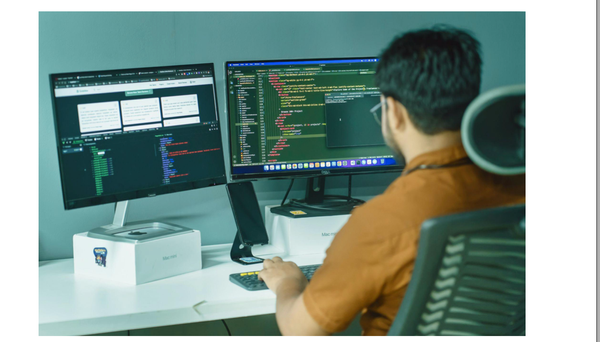
Stop Paying $X,000/ Year for CAD Apps! 11 Free Open-Source Tools That Beat AutoCAD & SolidWorks!
Open Source CAD Revolution: Build Anything Without Paying a Penny – The Complete Guide for Students, Freelancers & DIY Engineers (STEP, STL, DXF, CAM Support)

If you’ve ever stared at a $x,000/year subscription bill for CAD software programs license, or felt frustrated because your university didn’t provide access to the tools you need, you’re not alone. I recently had a wake-up call during a visit to my friend Zahid’s office, an industrial designer, working on innovative product concepts for startups.
As we chatted over coffee, he sighed and said: “I just wish I didn’t have to pay so much for these apps. Every time I open SolidWorks or Fusion 360, I feel like I’m paying rent on creativity.”
Open Source CAD Revolution: Build Anything Without Paying a Penny – The Complete Guide for Students, Freelancers & DIY Engineers (STEP, STL, DXF, CAM Support)
That moment sparked something in me.
Turns out, Zahid wasn’t aware of the powerful, free, and fully functional open-source CAD software options that exist, tools that are not only accessible but also capable of handling professional-grade projects.
So, I decided to compile this guide for him (and anyone else in the same boat), especially students, freelancers, and indie designers who want creative freedom without the financial burden.
But before we start, lets address the hidden solider for most of these projects, Open CASCADE Technology.
Open CASCADE Technology (OCCT) is the powerhouse behind elite CAD, CAM & CAE software, delivering precision 3D modeling, seamless data exchange, and high-performance visualization. It is built in C++, it’s the backbone of FreeCAD, SolidWorks, and more.
Now, with our list!
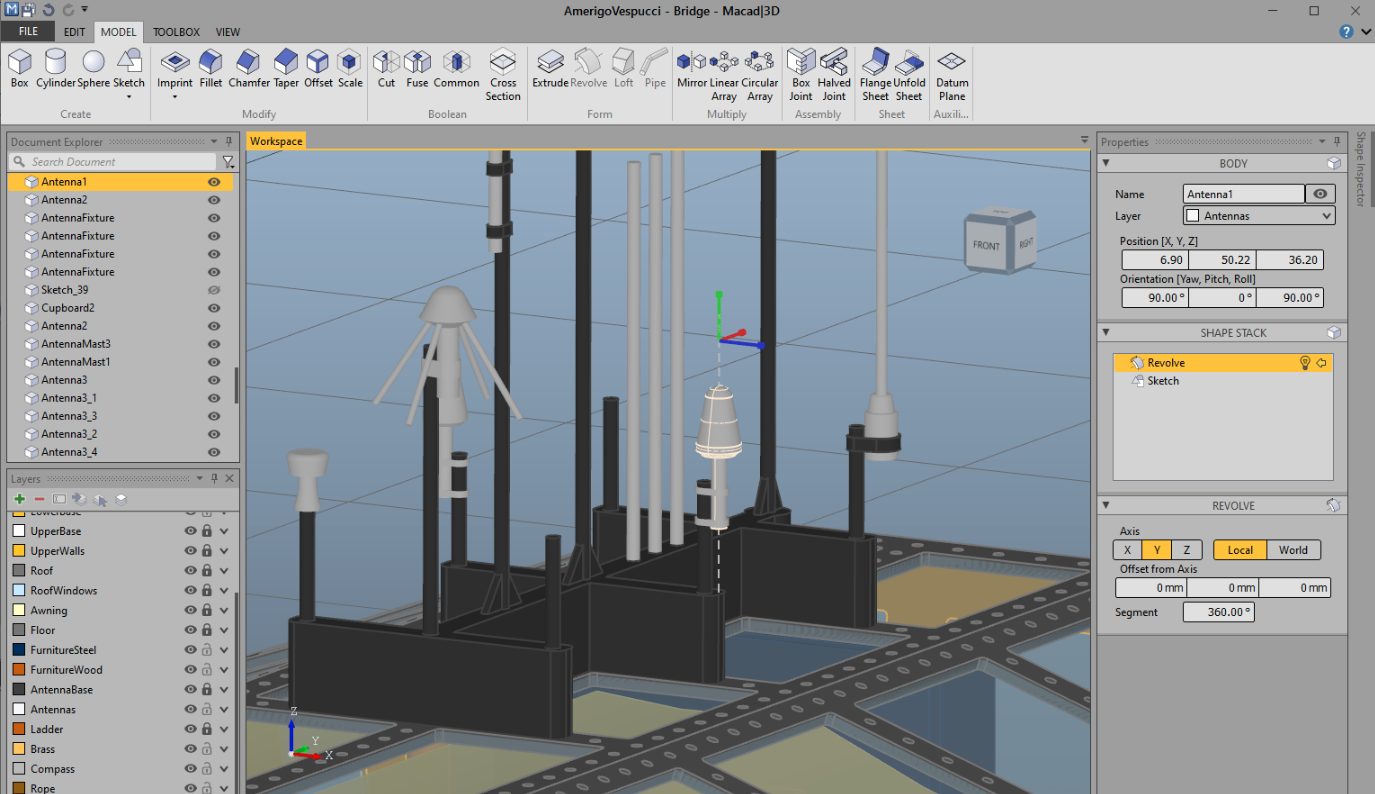
1- Macad|3D

Macad|3D is a free, open-source 3D construction tool perfect for Windows users. Ideal for model makers, hobbyists, and students, it offers intuitive workflows, instant export of perspective views, and ready-to-print files for 3D printing, laser cutting, and CNC milling.
It is built on .NET, C#, and OpenCASCADE Technology (OCCT), it’s powerful yet beginner-friendly. No subscriptions, no fees, just creative freedom. Try it today and build without limits.
 Macad3D
2- FreeCAD
FreeCAD is a free, open-source, parametric 3D CAD modeler that lets you design real-world objects, from small parts to full buildings. Whether you're a student, hobbyist, engineer, or architect, FreeCAD helps you create precise, modifiable designs on Windows, macOS, and Linux.
It’s built for flexibility: change any dimension later, and your entire model updates automatically. Think of it as LEGO for digital design, build, tweak, and rebuild with ease.
Key Features of FreeCAD
- Parametric Modeling Edit Anytime: Change dimensions at any stage. Your design updates automatically based on history and constraints, this is ideal for iterative design and real-world engineering.
- 2D Sketching + 3D Extrusion Made Easy: Draw precise 2D shapes (lines, circles, arcs) with geometric constraints, then extrude, revolve, or loft them into professional 3D parts.
- Specialized Workbenches for Every Project
Switch between tools tailored to your needs:- Part Design: Build complex mechanical components
- Arch: Design buildings, homes, and architectural plans
- Draft: Create accurate 2D technical drawings and blueprints
- FEM: Simulate stress, strain, and structural performance
- Path: Generate CNC toolpaths for milling and machining
- Cloth & Simulation: Model flexible materials and dynamic behavior
- Built on OpenCASCADE Technology (OCCT): Uses the same high-precision geometry engine found in SolidWorks, CATIA, and other industry-standard CAD systems.
- Powerful Python API Integration: Automate repetitive tasks, create custom tools, or extend functionality using Python, ideal for developers and advanced users.
- Cross-Platform Support: Runs flawlessly on Windows 10/11, macOS, and Linux, no virtual machines or subscriptions required.
- 100% Free & Open Source: No hidden fees, no trial limits, no paywalls. Use, modify, and share FreeCAD forever under the GPL license.
- Export to Industry-Standard Formats: Save designs as STEP, IGES, STL, DXF, PDF, SVG, and more, ready for 3D printing, laser cutting, CNC machining, or collaboration.
- Real-Time 3D View & Visualization: Smooth navigation with Coin3D-powered rendering, view, rotate, and inspect your models in high detail.
 FreeCAD
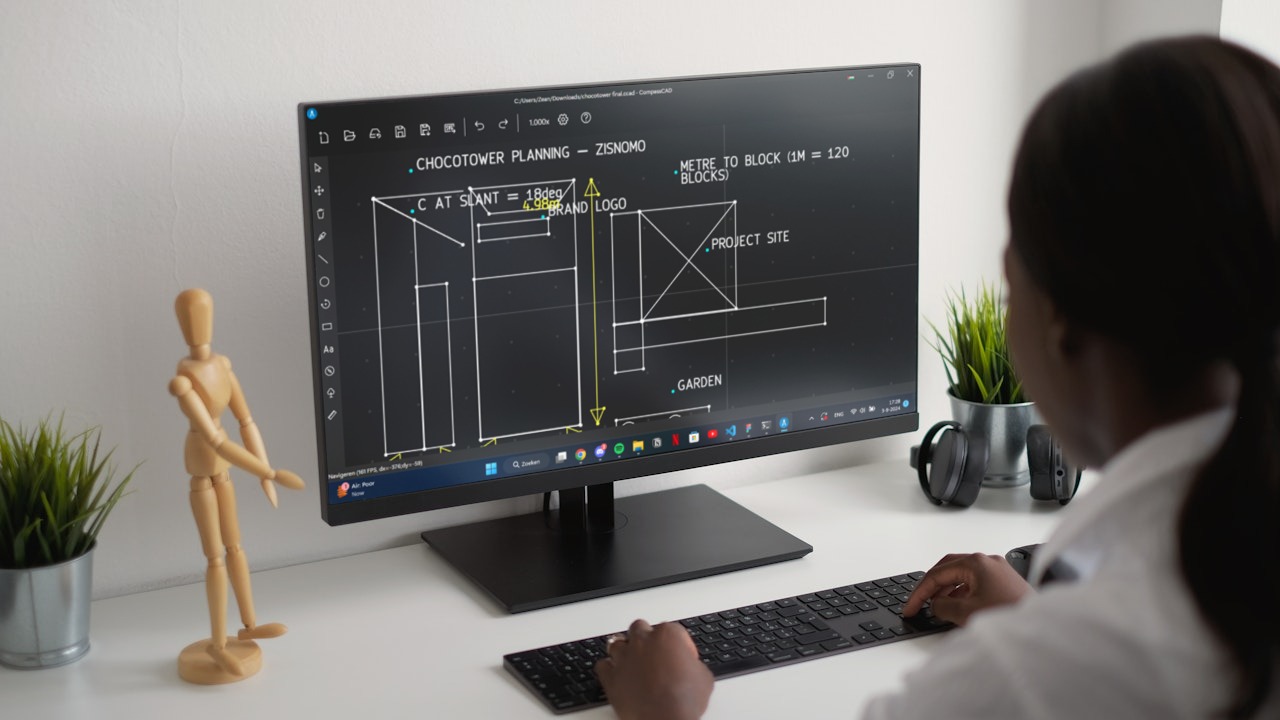
3- CompassCAD
CompassCAD is FOSS’s best CAD software, it is an ideal choice for beginners and professionals alike. With an intuitive interface, smooth performance on older hardware (even 2007 laptops), and no learning curve, it makes 2D/3D design accessible to all. It runs 87% faster than AutoCAD, uses 98% less CPU/RAM, and is 100% free forever, no subscriptions, no paywalls.
Built for real-world use, CompassCAD offers powerful tools, collaboration features, and full customization, all without compromising speed or security. Say goodbye to expensive licenses, and Welcome to freedom, creativity, and efficiency.

5- LibreCAD
LibreCAD is a powerful, free, and open-source 2D CAD application available on Windows, macOS, and Linux, making it a favorite among Linux users who value open-source principles. With support in 30+ languages, cross-platform compatibility, and no licensing fees, it’s perfect for students, hobbyists, engineers, and designers worldwide. Originally born from QCad’s community efforts, LibreCAD evolved into a mature, Qt5-based tool with full stability and performance.
It’s completely free under the GPLv2 license, no trials, no subscriptions, no hidden costs. Known for its lightweight design, intuitive interface, and strong community support, LibreCAD remains one of the most popular open-source CAD apps, especially in Linux communities across India, Pakistan, Africa, and beyond.


6- Chili3D
Chili3D is a powerful, open-source 3D CAD application designed to run directly in your web browser, no installation required. Built with TypeScript, it delivers near-native performance by compiling OpenCASCADE (OCCT) into WebAssembly and integrating seamlessly with Three.js for high-quality rendering and interactive modeling.
With Chili3D, you can create, edit, and visualize 3D models entirely online, which makes it perfect for students, designers, and engineers who want fast, accessible CAD without heavy software or hardware.
Whether you're sketching parts, assembling assemblies, or sharing designs in real time, Chili3D brings professional-grade 3D design to the browser, making collaboration and learning easier than ever.
Why we like it?
- Runs anywhere with a modern browser
- No downloads, no setup
- Powered by OCCT + WebAssembly + Three.js
- Ideal for remote teams, classrooms, and hobbyists
Core Features
- Basic 3D Shapes: Box, cylinder, cone, sphere, pyramid, and more
- Advanced 2D Sketching: Lines, arcs, circles, ellipses, rectangles, polygons, Bezier curves
- Boolean Operations: Union, difference, intersection for complex part design
- Extrusion & Revolution: Turn 2D sketches into 3D solids
- Sweeping & Lofting: Create smooth transitions between shapes
- Offset Surfaces & Section Creation: For precision engineering and manufacturing
- Smart Snapping & Tracking: Snap to points, edges, faces, workplanes, and axes
- Feature Point Detection: Auto-detect key geometry for accuracy
- Editing Tools: Chamfer, fillet, trim, break, split, mirror, move, rotate
- Advanced Editing: Remove features, manipulate sub-shapes, explode assemblies
- Measurement Tools: Measure lengths, angles, area, volume — with total sum calculations
- Document Management: Save, open, undo/redo with full transaction history
- Import/Export Support: STEP, IGES, BREP — perfect for sharing with industry tools
- Dynamic Workplane System: Flexible planar modeling in 3D space
- 3D Viewport with Camera Controls: Pan, zoom, orbit, and recall camera positions
- Office-Style UI: Clean, intuitive layout with contextual commands
- Hierarchical Assembly Management: Organize parts with flexible grouping
- Multi-Language Support: Currently available in English & Chinese — open to contributions
- Runs on Any Device: Works on Windows, macOS, Linux, tablets, and smartphones via modern browsers
 xiangechen
7- QCAD - 2D CAD for Windows, Linux and Mac

QCAD is a powerful, free, and open-source 2D CAD tool for creating technical drawings, from architectural plans and interior layouts to mechanical parts and schematics. Built with modularity and ease of use in mind, it features an intuitive interface perfect for beginners and professionals alike.
QCAD runs smoothly on Windows, macOS, and Linux. Fully free under GPLv3, no trials, no fees.
QCAD features
- Layers & Blocks: Organize drawings with layer management and reusable block groups
- 40+ Built-in CAD Fonts + TrueType Support, Customize text for professional output
- Metric & Imperial Units, Switch between systems seamlessly
- DXF & DWG Import/Export, Full compatibility with AutoCAD and industry standards
- Print to Scale & Multi-Page Printing, Perfect for blueprints and technical documentation
- 40+ Construction Tools, Draw lines, arcs, circles, ellipses, splines, polylines, texts, dimensions, hatches, images
- 20+ Modification Tools, Trim, extend, offset, fillet, chamfer, break, split, mirror, rotate, move
- Advanced Object Snaps, Snap to points, endpoints, midpoints, tangents, intersections
- Measurement Tools, Measure distances, angles, areas, and lengths accurately
- Part Library (4,800+ CAD Parts): Fast access to standard components for mechanical & architectural design
- ECMAScript (JavaScript) Scripting, Automate tasks, create custom tools, extend functionality
- Command Line Tools: Convert DWG to PDF, SVG, BMP, and more via dwg2pdf, dwg2svg, etc.
- QCAD/CAM Integration: Export G-Code for CNC machines and advanced nesting for material optimization
- Runs on Windows, macOS, Linux: Free, open-source, no subscriptions.
 Andrew Mustun
8- CodeToCAD
CodeToCAD is an open-source platform that bridges the gap between design and manufacturing by enabling engineers, developers, and makers to write hardware designs using Python scripts. With CodeToCAD, you can define 3D models, electrical layouts, mechanical assemblies, and simulation workflows, all through code, and seamlessly integrate them into your version control system (like Git).
No more manual CAD file handoffs. No more design chaos. Just clean, reproducible, collaborative engineering.
Whether you're designing a PCB, building a robot chassis, simulating stress with FEA, or generating CNC toolpaths, CodeToCAD automates the entire workflow across supported tools, including FreeCAD, Fusion 360, OpenSCAD, and more.
CodeToCAD's Features
- Text-Based Modeling Interface: Design entirely through code. No complex menus, no endless clicks, just clean, readable Python scripts for intuitive model creation and editing.
- No Vendor Lock-In: Your designs are written in open, human-readable Python. You’re free to switch CAD tools or platforms without losing functionality, future-proof your workflow.
- Lightweight & Portable: All you need is a simple text editor. Run models on any machine with minimal setup, ideal for remote teams, students, and developers.
- Python-Powered Workflow: Use the programming language you already know and love. No steep learning curve, just leverage existing skills in Python for powerful design automation.
- Full Git Integration: Version control made easy. Track changes, collaborate, revert mistakes, and manage team workflows using Git, just like software development.
- Open Source & Free: Built on transparency and community. No subscriptions, no paywalls, no hidden costs. Designed by creators who believe innovation should be accessible to all.
- Cross-Platform Compatibility: Works seamlessly with FreeCAD, Fusion 360, OpenSCAD, and other major CAD/CAM/FEA tools. enabling flexible, interoperable design pipelines.
- Automated Manufacturing Readiness: Generate models ready for 3D printing, CNC machining, PCB fabrication, simulation, and more — all from one unified script.
 CodeToCAD
9- OpenSCAD
OpenSCAD is a free, open-source 3D CAD software for Linux, Windows, and macOS. Unlike artistic tools like Blender, it focuses on precise, parametric modeling using code. You write scripts to define objects via constructive solid geometry (CSG) or extruding 2D shapes from DXF files.
The output formats include STL, OFF, and DXF, it is ideal for mechanical parts, 3D printing, and engineering designs. No mouse clicks, just clean, repeatable, version-controlled code.
 openscad
10- CadQuery
CadQuery is a free, open-source Python library for creating parametric 3D CAD models, fast, clean, and code-driven. Unlike OpenSCAD, it uses Python, giving you access to libraries, IDEs, and powerful scripting.
It is built on OpenCASCADE (OCCT), it supports NURBS, splines, surface sewing, STEP import/export, and STL repair, far beyond CGAL’s limits. Create complex parts with less code by referencing features, workplanes, and vertices. Export to STEP, STL, AMF, 3MF faster than OpenSCAD. Perfect for engineers, makers, and devs.
It runs in JupyterLab, CQ-Editor, or servers. No GUI? No problem, build smarter, automate better.
Features
- Build 3D models with scripts that are as close as possible to how you would describe the object to a human.
- Create parametric models that can be very easily customized by end users.
- Output high quality (loss-less) CAD formats like STEP and DXF in addition to STL, VRML, AMF and 3MF.
- Provide a non-proprietary, plain text model format that can be edited and executed with only a web browser.
- Offer advanced modeling capabilities such as fillets, curvilinear extrudes, parametric curves and lofts.
- Build nested assemblies out of individual parts and other assemblies.
 CadQuery
11- Mayo the opensource 3D CAD viewer and converter
Mayo is a lightweight, cross-platform 3D viewer and file converter that supports STEP, IGES, STL, and more. Built with modern C++, Qt, and OpenCASCADE Technology (OCCT).
It offers powerful tools like 3D clip planes with capping, exploding assemblies, and precise measurement tools (lengths, angles, areas, bounding boxes). Perfect for engineers, students, and designers who need to inspect, analyze, or convert CAD files, fast, free, and without limits.
It runs on Windows, Linux and macOS.
May's Core Features
- 3D clip planes with configurable capping
- 3D exploding of the model tree allowing better exploration of complex designs
- 3D measure tools for circles, angles, lengths, areas, bounding box, ...
- 3D view cube providing intuitive camera manipulation
- Quick access to CAD files recently open thanks to thumbnails.
- Toggle item visibility within the Model tree(use checkbox)
- Customizable mesh precision for BREP shapes, affecting visualization quality and conversion into mesh formats
- Convert files to multiple CAD formats from command-line interface
 fougue
Final Note: The Future of CAD is Free, Open, and Yours
You don’t need a six-figure license to build the future. You just need curiosity, a computer, and the right tools, and guess what? They’re all free.
From Zahid’s frustration over paying rent on creativity to you reading this right now, we’ve crossed a threshold. The days of being locked into expensive software are fading. With OpenCASCADE Technology (OCCT) powering the backbone of industry giants like SolidWorks and CATIA, open-source tools like FreeCAD, LibreCAD, Chili3D, CompassCAD, CodeToCAD, and more are no longer “good alternatives”, they’re the way forward.
Whether you're a student in Lahore, a maker in Lagos, an engineer in Jakarta, or a hobbyist in Buenos Aires, your ideas deserve freedom. No subscriptions. No trials. No compromises.
So go ahead. Install FreeCAD. Sketch in LibreCAD. Code your design with CadQuery. View your files in Mayo. Build in the browser with Chili3D. Automate it all with CodeToCAD.
This isn’t just about saving money. It’s about reclaiming control. About building, sharing, iterating, without permission from a corporation.
The tools are here. The community is growing. The future is open.
Stop paying for creativity. Start building it.
Download. Code. Create. Share. Repeat.
The only limit? Your imagination.