FavBox: The Most Intelligent way to Manage Your Browser Bookmarks with Privacy

Tired of you messy Google Chrome Bookmarks? Here is the answer to your prayers!
What is FavBox?
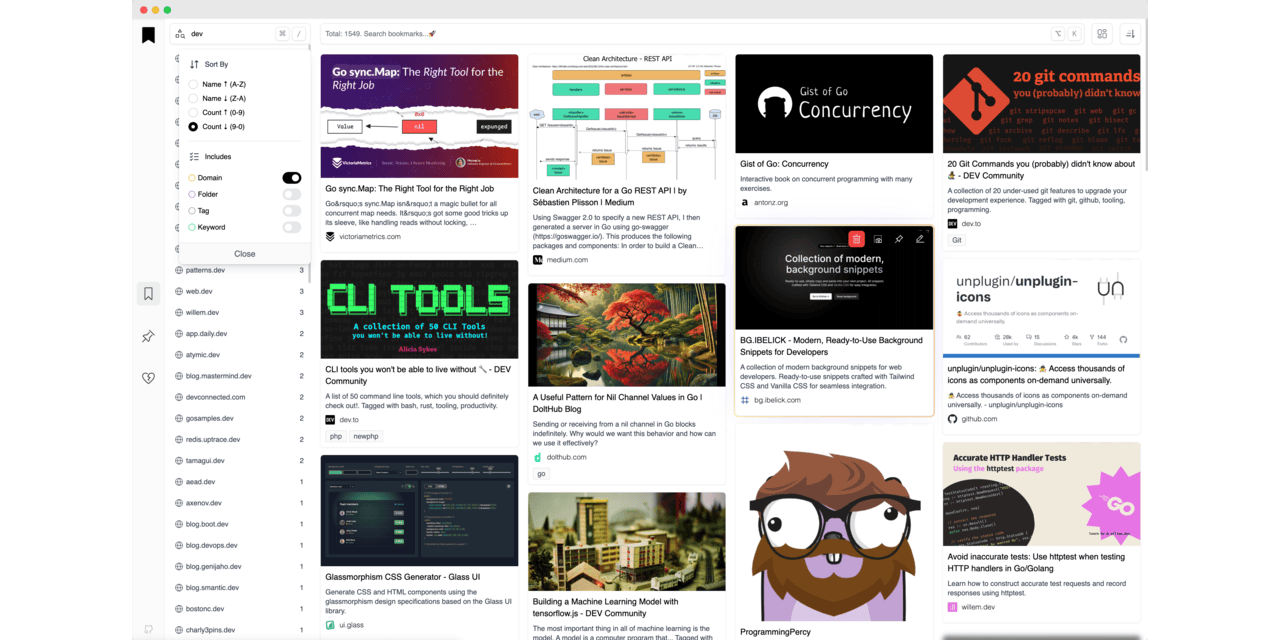
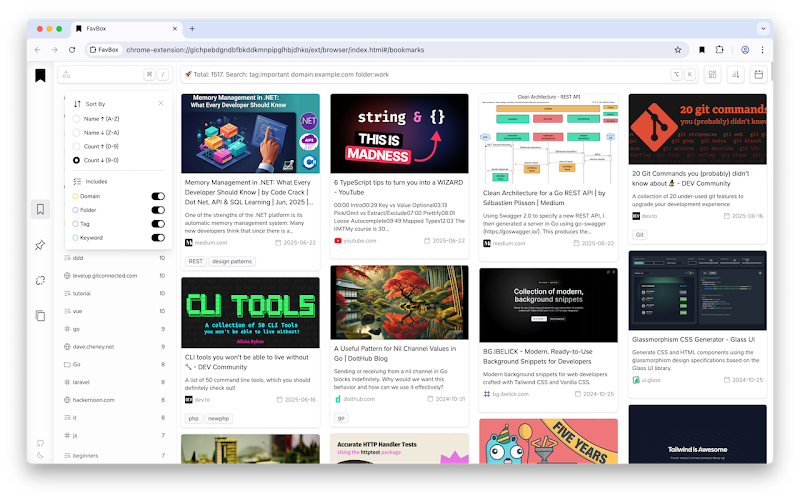
FavBox is a local-first experimental browser extension that enhances and simplifies bookmark management without cloud storage or third-party services. It extends your browser's native bookmarking features.
Resources & Downloads
- 🔄 Syncs with your browser profile
- 🔒 No third‑party data sharing. No ads. No tracking.
- 🎨 Minimalist, clean UI
- 🏷️ Tag support for easy organization
- 🔍 Advanced search, sorting, and filtering by tags, domains, folders, and keywords
- 🌁 Multiple display modes
- 🌗 Light and dark themes
- 🗑️ Detects broken and duplicate bookmarks
- ⌨️ Hotkeys for quick search access
- 🗒️ Local notes support
- ❤️ Free and open source
- ✅ No internet connection needed after setup
- ✅ Zero data sharing
- ✅ Works seamlessly with native browser bookmark features
- ✅ Fully open-source and self-hosted in your browser
How dose it work?
Here’s how it works:
- Scans & Extracts: When you add or update a bookmark, FavBox scans the page and pulls key data (title, description, images, Open Graph/Twitter cards) using client-side requests.
- Stores Locally: All extracted data is stored securely in your browser’s IndexedDB, meaning no data leaves your device.
- Tracks Events: It listens to browser bookmark events (add, edit, delete) and syncs changes instantly across your devices.
- Syncs Tags Without Cloud: To keep tags consistent across devices, FavBox cleverly appends them to the bookmark title (e.g.,
Google Chrome — Wikipedia 🏷 #wiki #browser).
Since Chrome syncs bookmarks across devices, your tags travel with the title — no cloud storage, no subscriptions, no tracking.
It’s not a replacement — just a smart upgrade.
Because your bookmarks should be smart, organized, and yours.
License
MIT License
Resources & Downloads
FavBox - Chrome Web Store
A clean, modern bookmark app — local-first by design.

GitHub - dd3v/favbox: 🖤 FavBox is a local-first experimental browser extension that enhances and simplifies bookmark management without cloud storage or third-party services.
🖤 FavBox is a local-first experimental browser extension that enhances and simplifies bookmark management without cloud storage or third-party services. - dd3v/favbox
 dd3v
dd3v