How I Reclaimed 40+ GB on My Mac, And Why Open-Source Apps Are Better Now!

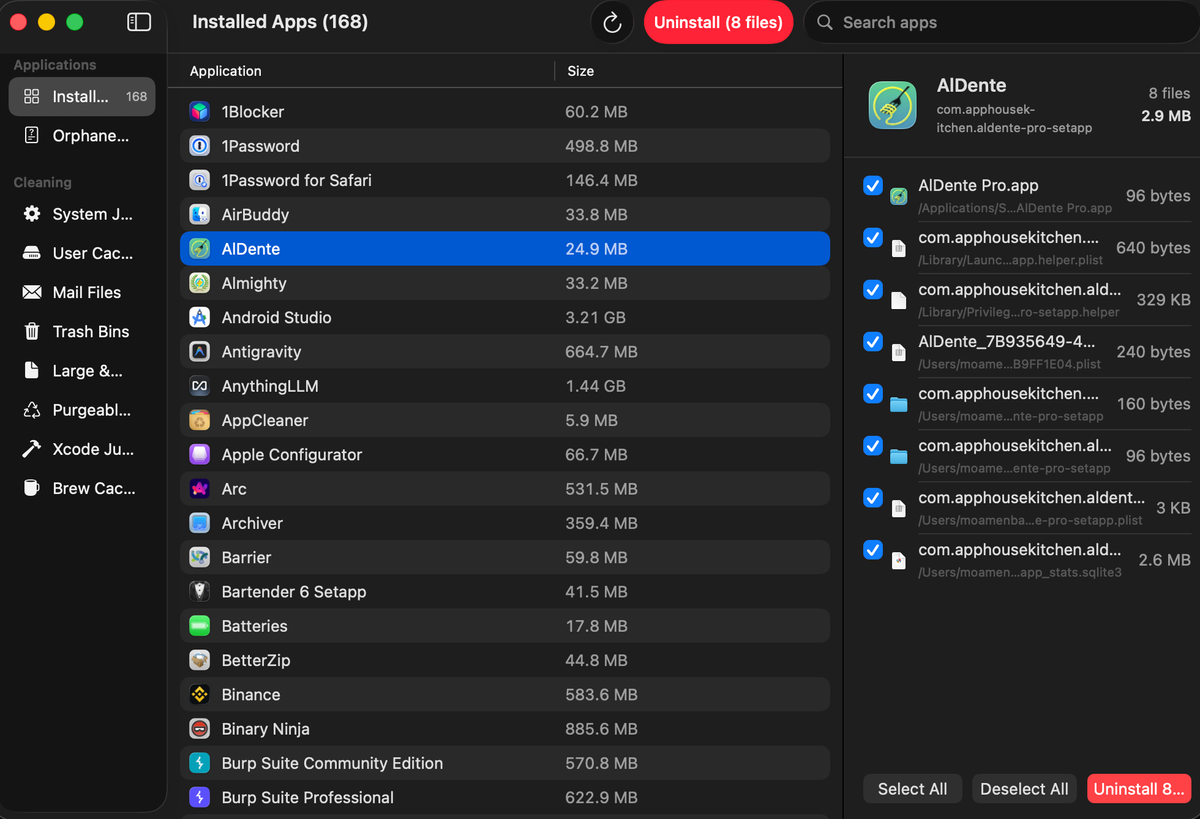
We've all been there. You're trying to download a movie, export a video, or install a simple game, and BAM. The dreaded "Disk Almost Full" notification ruins your day. My Mac was choking.
Turns out, 40 GB of my drive was being held hostage by old developer caches, bloated browser leftovers, and ghost files from apps I deleted years ago. I needed to clean house, but I absolutely refused to pay for the privilege.
The Mac Cleaner Trap: App Store Subscriptions are a Scam
Naturally, my first instinct was to look for a standard "Mac Cleaner" app. But have you looked at the App Store lately? These commercial utility apps are basically digital toll booths.
They want $30 upfront, or worse, a $5/month subscription just to delete cache files and empty your trash. It's wild.
Why are they so expensive? Because they aren't just selling you a tool; they're selling you aggressive marketing, a sleek UI, and convenience.
They spend millions on App Store optimization and influencer sponsorships, and guess who pays for that? You do. They rely on the "set it and forget it" anxiety of Mac users. You're paying for their ad spend, not just the code. Plus, half the time, they feel like bloatware themselves, running in the background and eating up your RAM.
Ditching Paid Utilities for Lightweight Mac Apps
So, I said "no thanks" to the subscription traps and dove into the open-source rabbit hole. I swapped out my heavy, paid utilities for lightweight, community-driven open-source alternatives for file cleaning, menu bar management, and system monitoring.
The result? I freed up over 40 GB of space without spending a single dime. No credit card required, no "pro version" upsells, just pure, unadulterated utility.
Commercial vs. Open-Source Software: Which is Better for macOS?
Let's break down why this matters, because the difference between commercial and open-source apps is night and day.
- Commercial apps are built for shareholders. They need to justify their hefty price tags, which leads to massive feature creep. They slap "AI-powered" onto everything and add unnecessary cloud syncs, making the app heavier and slower. They lock your data into their ecosystems and constantly nag you to upgrade.
- Open-source apps are built for users. They are lean, mean, cleaning machines. Because the code is transparent, there are no hidden trackers or shady data-harvesting tactics. It's just a tool doing exactly what it says it will do-nothing more.
When I used my new open-source toolkit, it didn't just save me money; it saved my Mac's performance. While commercial apps run background processes just to check if your premium subscription is still valid, open-source apps respect both your CPU and your wallet.
The True Cost of Premium Mac Cleaning Software
To be fair, commercial devs need to eat. But the utility app market is notoriously predatory. You're often paying a massive premium for a fancy GUI wrapper around basic system commands you could easily run in the Terminal for free.
Open-source devs, on the other hand, usually do this for the love of the game, funded by optional donations. It's a patronage model, not a hostage situation.
There's also a massive cool factor to the community. When you use open-source, you aren't just a consumer; you're part of an ecosystem. If you find a bug, you can report it, and often the dev fixes it in a day because they actually care. It's software built by the people, for the people, and it shows.
Optimize Your Mac Storage the Smart Way
Cleaning up 40+ GB felt like putting my Mac on a strict diet, but switching to open-source felt like a total lifestyle change. I'm no longer renting my software; I'm owning my workflow.
If you're tired of macOS storage anxiety and the endless parade of $29.99 "cleaner" apps, do yourself a favor: look into the open-source community. Your Mac will run faster, your wallet will stay fat, and you'll sleep better knowing your data is actually yours.
Stay light, stay open, and keep your Mac breathing easy.
Best Free Open-source Apps to Clean Your Mac
1- PureMac
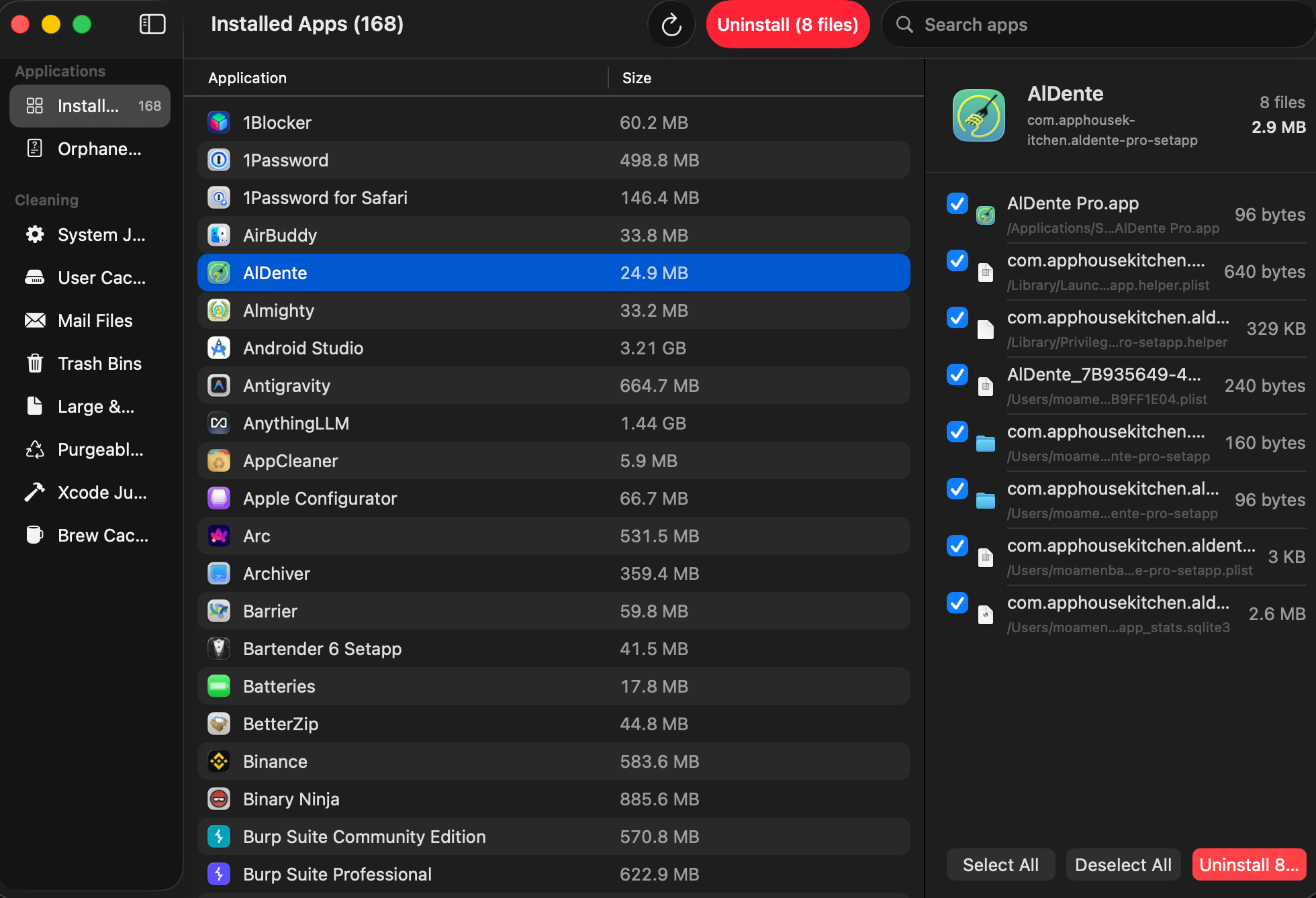
PureMac is a free, native, open-source (MIT) system cleaner and uninstaller for macOS built to counter predatory, subscription-based utilities. Operating transparently with zero telemetry, it provides honest scans without dramatic marketing.
PureMac securely finds and sends localized user caches, orphan files from deleted apps, and developer bloat (like Xcode or Docker caches) straight to the Trash for easy recovery. Crucially, the app respects system limits, letting users manually review every path before removal to ensure complete safety and privacy.
PureMac Features Include:
- Deep App Uninstaller: Discovers applications and uses a 10-level matching engine (checking bundle IDs, team identifiers, and Spotlight metadata) across three sensitivity tiers (Strict, Enhanced, Deep) to find every hidden leftover file.
- Finder Integration: Adds a right-click context menu (
Services → Uninstall with PureMac) directly inside Finder for instant scanning. - Orphan Finder: Scans your
~/Libraryto locate and surface abandoned container and preference files left behind by apps you deleted years ago. - Parallel Smart Scan: Runs multiple specialized cleanup scanners simultaneously to save time.
- Developer Bloat Cleaner: Safely targets hefty developer leftovers like Xcode
DerivedData, simulator caches, Docker images/containers, and Package Manager caches (npm,yarn,pnpm,Homebrew). - AI App Maintenance: Cleans up large logs, caches, and opt-in histories from local AI tools like Ollama and LM Studio.
- General System Cleanup: Sweeps system caches, user logs, temp files, and downloaded Mail attachments.
- Large & Old File Finder: Isolates files greater than 100 MB or older than 1 year (safely left unchecked by default so you never accidentally delete them).
- Multi-Volume Trash Management: Empties all Trash bins across your primary drive as well as connected external volumes.
- Scheduled Cleaning: Optional background intervals (ranging from hourly to monthly) with a configurable threshold so it only triggers when a meaningful amount of data can be cleared.
- Transparent Storage Breakdown: Displays a breakdown of your drive's storage—including APFS purgeable space—without making false promises about third-party optimization capabilities.
- Trash-Only Safety Net: Uses macOS
FileManager.trashIteminstead of permanent terminal deletion (rm). Everything removed goes to the Trash so you can easily drag it back. - Zero Telemetry: Built with no analytics, no tracking, and no crash reporting. The app never makes external network calls.
- Manual Review First: No auto-deletion. You can inspect every file via a "Reveal-in-Finder" option before giving the green light.
- Hard-Excluded System Paths: Apple system applications and critical macOS directories are strictly locked down and protected in the source code.
- No Fear-Based Marketing: Displays completely neutral facts with no red alarms, fake urgency badges, or misleading "RAM boosting" claims.
 momenbasel
2- Mole
Mole is a comprehensive, terminal-first macOS utility that combines deep system cleaning, disk mapping, smart app uninstalling, and live monitoring into a single binary. While its core CLI is free and open-source, it offers a paid native Mac GUI app upgrade.
It saved me close to 12 GB of leftover developer's cache and temporary files.
Mole's Features
- All-in-one toolkit: Combines CleanMyMac, AppCleaner, DaisyDisk, and iStat Menus in a single binary
- Deep cleaning: Removes caches, logs, browser leftovers, and orphaned app data to reclaim gigabytes of space
- Smart uninstaller: Removes apps plus launch agents, preferences, and hidden remnants
- Disk insights: Visualizes usage, finds large files, rebuilds caches, and refreshes system services
- Live monitoring: Shows real-time CPU, GPU, memory, disk, and network stats
 tw93
tw93
3- Mac Sai
Mac Sai is a free, open-source macOS app that cleans junk files, removes malware, optimizes performance, uninstalls apps completely, and visualizes disk usage — all from a single, beautiful interface. It replicates every major feature of CleanMyMac while being fully transparent and community-driven.
Mac Sai has a cool set of features that include:
- Smart Scan: One-click automated dashboard combining cleanup, protection, and performance.
- System Junk (16 Categories): Sweeps user/system caches, Xcode junk, iOS backups, and uses
lipoto thin heavy Universal Binaries to your native architecture. - Targeted Cleaners: Clears Apple Mail/Outlook attachments and empties external drive Trash bins.
- Space Lens: A visual, drill-down squarified treemap of your disk usage.
- Large & Duplicate Finders: Tracks down files over 50 MB and isolates true duplicate files using progressive hash mapping.
- Shredder: Securely erases sensitive files using standard or multi-pass overwrite modes.
- Malware Removal: Signature-based scanning across three depth levels to check launch agents and browser extensions.
- Privacy Cleaner: Wipes browsing history, cookies, and system trace logs for Safari, Chrome, and Firefox.
- Optimization & Maintenance: Manages login items and executes 10 system tasks (like freeing RAM, running maintenance scripts, and flushing DNS).
- Uninstaller: Uses a 10-level matching engine to find and erase hidden leftovers across 17+
Librarydirectories. - Updater: Checks and applies available app updates via Sparkle feeds.
- Menu Bar Widget: A lightweight glassmorphism HUD tracking real-time CPU, memory pressure, network throughput, swap space, and battery health.
- Actionable Alerts: Contextual storage recommendations and background low-disk/high-memory health warnings.
 iliyami
4- Pearcleaner
Pearcleaner (currently at version 5.4.3) is a free, source-available, and fair-code licensed Mac app cleaner. It was built to help the developer learn Swift and explore how macOS handles app installations and removals. The tool's design was inspired by Freemacsoft's AppCleaner and Sun Knudsen's Privacy Guides app-cleaner script.
However, it is important to note that the app is on hold now. But it still works.
 alienator88
5- MyMacCleaner
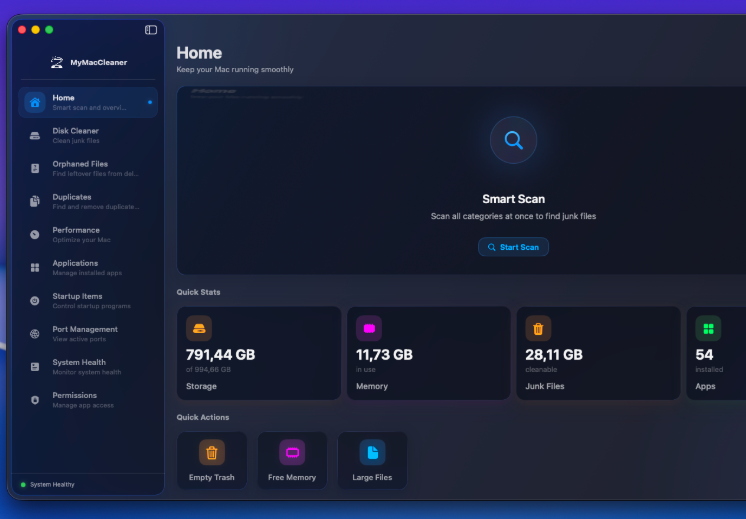
MyMacCleaner is a free, open-source alternative to commercial Mac cleaning apps like CleanMyMac. Built with SwiftUI and featuring Apple's latest Liquid Glass design language, it provides a beautiful and efficient way to maintain your Mac.
MyMacCleaner's Features:
- Smart Scan: A comprehensive, one-click scan covering all cleanup categories simultaneously.
- Disk Cleaner: Targets and purges system junk, temporary files, user caches, and logs.
- Space Lens: A visual treemap interface mapping your disk usage to help you visually track down massive files.
- Duplicates Finder: Pinpoints exact duplicate files across your drive using secure SHA-256 cryptographic hashing.
- Orphaned Files & App Uninstaller: Fully uninstalls applications and deep-scans for the leftover configuration files often left behind.
- Browser Privacy: Deep-cleans browser history, cookies, tracking caches, and stored passwords.
- Port Management: Tracks active network connections, letting you view and kill processes currently using specific network ports.
- Permissions Auditor: Allows you to review, track, and manage which applications have access permissions to your local folders.
- Performance Optimizer: Runs low-level maintenance scripts and handles RAM optimization tasks.
- System Health Dashboard: Monitors core system stats and gives you control over login/startup items.
- Menu Bar HUD: Keeps track of your live CPU and RAM utilization directly from the macOS menu bar.


6- Clean-Me
Clean-Me is an open-source macOS system analyzer and cleaner that safely purges targeted data—like logs, Trash, Xcode derived data, and mail attachments—while preserving directory permissions. The developer warns against unnecessary cache deletion, advising its use primarily for deliberate troubleshooting and manual file inspection.
7- Dusty
Dusty is a free, open-source, and calm alternative to premium tools like CleanMyMac that safely reclaims storage space. Operating directly from the macOS menu bar, it quietly monitors your drive and highlights space taken up by caches, logs, developer junk, and local snapshots. The app provides complete transparency by laying out every file path by size, ensuring nothing is deleted without manual review.
It strictly follows a fixed allowlist for all removals to guarantee user safety with no unexpected automated deletions.
 yagcioglutoprak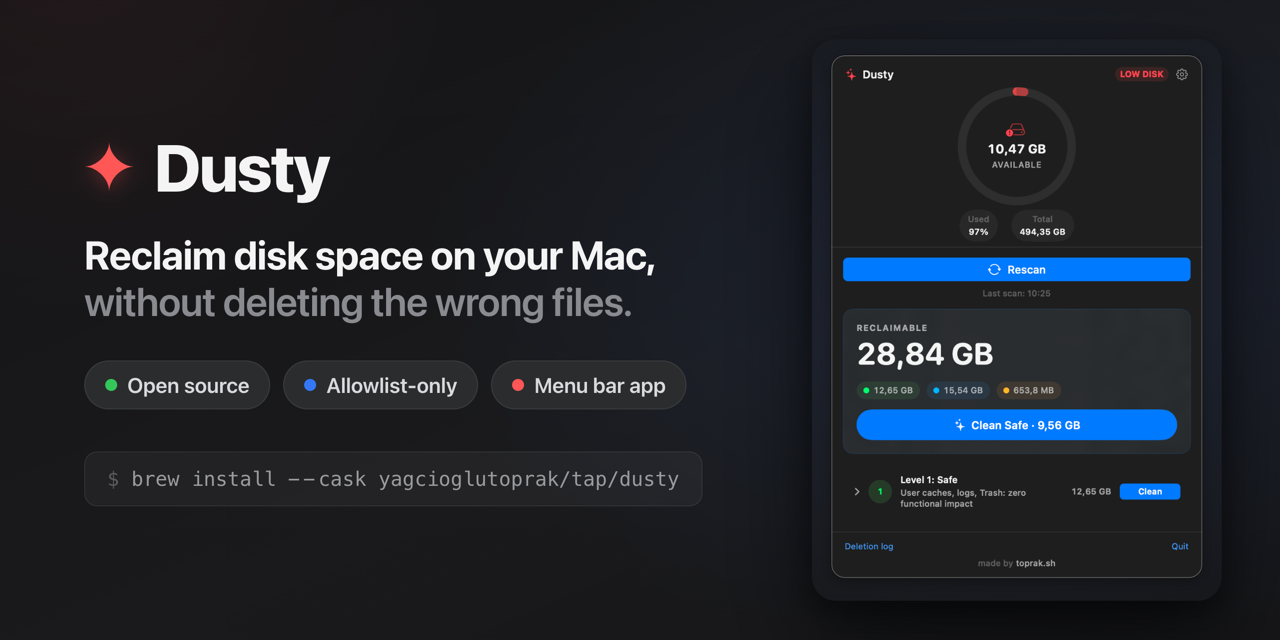
8- Kudu
Kudu is a free, cross-platform, and open-source system cleaner and security scanner for Windows, macOS, and Linux that operates with zero tracking or telemetry. It features a robust suite of disk optimization utilities, including browser and registry cleaning, app uninstallers, game launcher cache management, and visual disk analyzers. Moreover, the app enhances user protection by integrating malware scanners alongside privacy configurations to disable background tracking and OS telemetry.
 AdventDevInc