Switch Xcode Versions Instantly with xcodes, The Ultimate CLI Tool for iOS Developers

Tired of manually downloading, installing, and switching between multiple versions of Xcode? Say hello to xcodes , the must-have command-line tool every Xcode developer should be using in 2025.
What is xcodes?
xcodes is a lightning-fast, developer-friendly CLI tool that lets you install, manage, and switch between multiple versions of Xcode with just a few commands. Whether you're testing on legacy iOS versions, debugging compatibility issues, or working across teams with different Xcode requirements, xcodes makes it effortless.
Why Every Xcode Developer Needs xcodes
1. Zero Manual Downloads
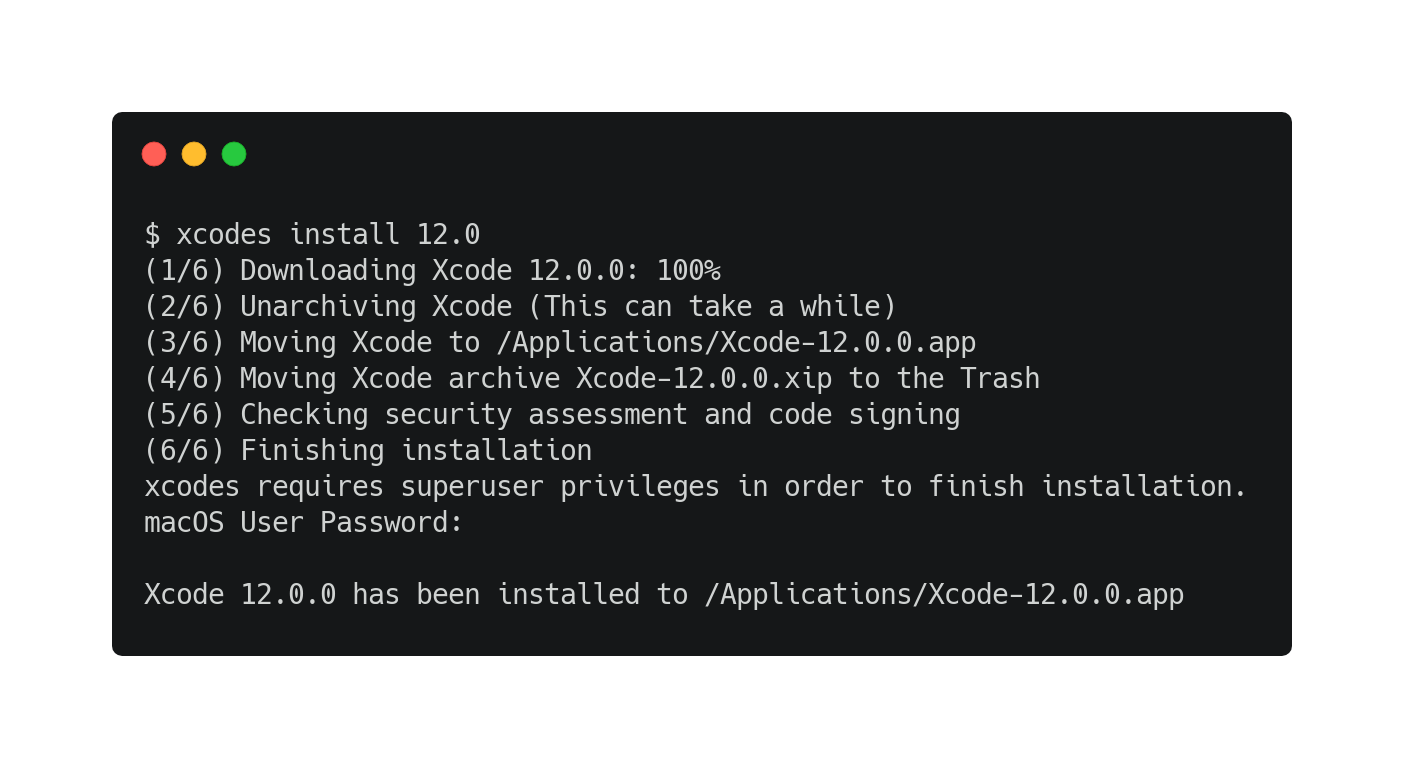
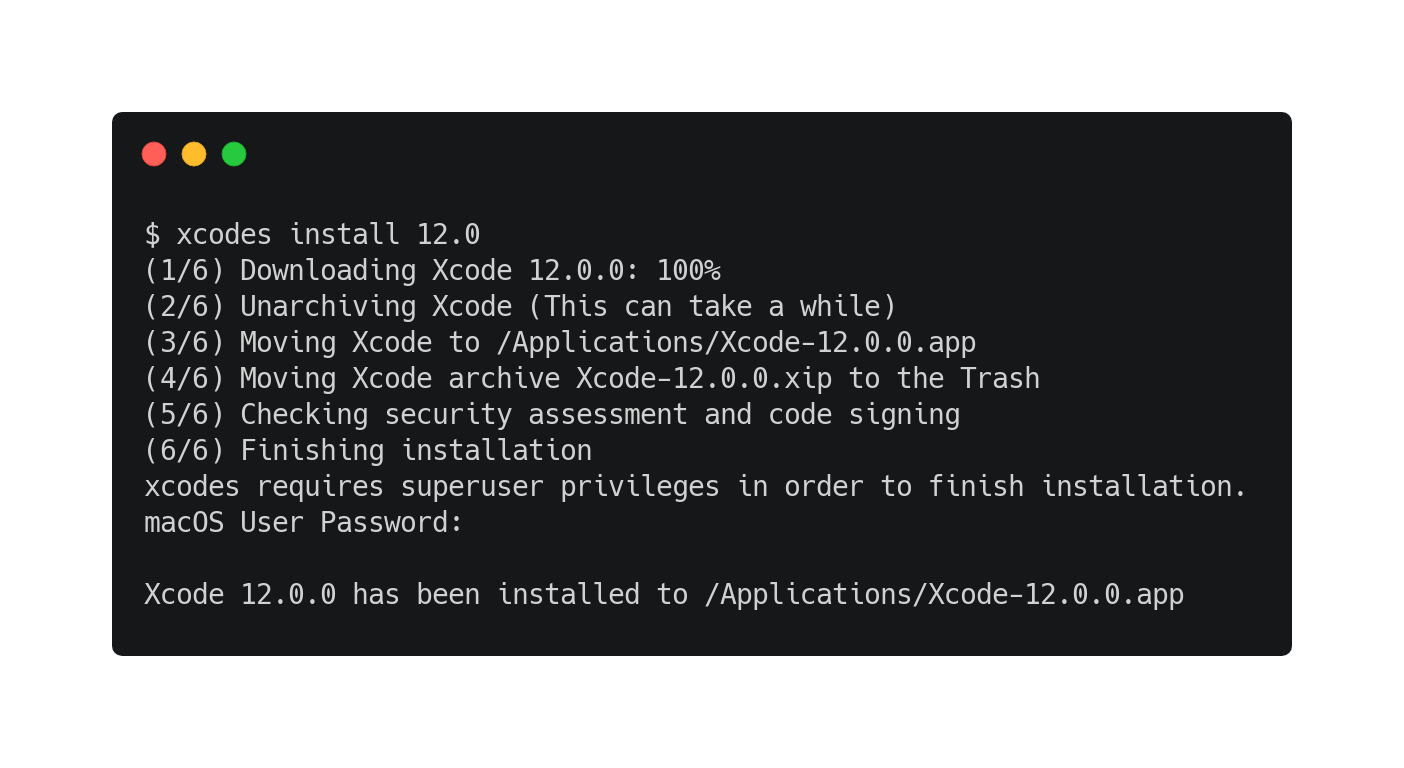
No more hunting through Apple’s Developer portal or waiting for massive .xip files to download. With xcodes, install any version (Xcode 14, 15, 16, even beta versions) in seconds:
xcodes install 15.3
Boom. Done.
2. Seamless Version Switching
Need to test your app on Xcode 14.3 for an older SDK? Just switch:
xcodes select 14.3
Now your xcode-select points to the right version instantly, no more messy path conflicts.
3. Apple ID Auth Made Easy
xcodes securely handles authentication via your Apple ID. After the first login, it saves credentials to your macOS Keychain, so you never have to re-enter them. Want to use a different Apple ID? Just set:
export [email protected]
Simple. Secure. Smart.
4. Perfect for CI/CD & Team Environments
Use xcodes in your build scripts to ensure consistent Xcode versions across pipelines. No more "it works on my machine" issues.
5. Supports Betas, Release Candidates & Legacy Versions
Need Xcode 16 Beta? Or Xcode 13.4.1 for backward compatibility? xcodes has you covered.
Real-World Use Cases
- App Testing Across iOS Versions: Easily switch between Xcode 15 (iOS 17) and Xcode 14 (iOS 16).
- Team Collaboration: Ensure everyone uses the same Xcode version without manual setup.
- CI/CD Pipelines: Automate Xcode version management in GitHub Actions, Bitrise, or Jenkins.
- Legacy Project Maintenance: Keep old projects building smoothly with the correct Xcode version.
How to Get Started (It’s Easier Than You Think)
Switch to it:
xcodes select 15.3
Install a version:
xcodes install 15.3
Install via Homebrew:
brew install xcodes
That’s it! Your terminal now controls your Xcode environment like a pro.
Usage
Install a specific version of Xcode using a command like one of these:
xcodes install 10.2.1
xcodes install 11 Beta 7
xcodes install 11.2 GM seed
xcodes install 9.0 --path ~/Archive/Xcode_9.xip
xcodes install --latest-prerelease
xcodes install --latest --directory "/Volumes/Bag Of Holding/"
xcodes install --latest --experimental-unxip
🚀 Final Thoughts
If you’re serious about iOS development, xcodes isn’t just a convenience, it’s a productivity game-changer. Save time, reduce errors, and keep your workflow smooth and scalable.
👉 Stop wasting hours on manual Xcode management. Start using xcodes today.
🔗 Install xcodes now and level up your dev life!
 XcodesOrg