Clean macOS the Smart Way: 12 Free & Open-Source Apps That Beat CleanMyMac (Without the $300 Lifetime Fee)


Let’s be real: CleanMyMac X looks slick. It scans, cleans, optimizes, and makes you feel like your Mac is brand new. But here’s the catch—after the trial ends, you’re either locked out or paying $89/year (or a “lifetime” $300+… for software).
For an avid macOS user who values privacy, performance, and not getting ripped off? That’s a hard pass.
The truth is, you don’t need expensive apps to keep your Mac clean, fast, and clutter-free. There’s a whole world of free, open-source macOS cleaning tools and scripts that do the same job—often better—without spying on you or locking features behind paywalls.
Why Clean macOS Regularly?
Even the slickest Mac accumulates junk over time:
- System & user cache files (from Safari, Mail, Messages)
- Temporary files (left behind by apps and updates)
- Xcode debris (yes, developers, those 20GB of derived data are not helping)
- Log files, old iOS backups, language files, and orphaned downloads
This digital clutter slows down your system, eats SSD space, and can cause weird bugs. Regular cleaning = smoother performance, faster boot times, and more breathing room for what matters.
💡 Why Open-Source Beats Proprietary Cleaners
Open-source macOS tools give you:
- Full transparency: No hidden trackers or data mining
- Zero subscription fees: Free forever, not "free trial then pay"
- Community-driven updates: Security patches, new features, no vendor lock-in
- Customization & control: Tweak, script, automate, own your system
Unlike CleanMyMac, which treats you like a wallet, open-source tools treat you like a power user.
⚠️ Pro Tip: Clean Smart, Not Reckless
🛑 Never delete system files blindly.
✅ Always backup with Time Machine first.
✅ Use tools like OnyX or AppCleaner—they know what’s safe.
✅ For scripts: review code, test in Terminal, run with caution.
1- MacCleanCLI
MacCleanCLI is a sleek, powerful, and interactive command-line tool built exclusively for macOS, offering efficient disk cleanup and system optimization directly from your terminal.
It features intelligent scanning that precisely identifies junk files, caches, logs, and other unnecessary data, while ensuring safe, reliable cleaning by removing only files confirmed as safe to delete, with optional backup support for added peace of mind.
Features
- Smart Scanning: Intelligently detects junk, caches, logs, and other unnecessary files
- Safe Cleaning: Deletes only safe-to-remove files, with optional backups
- System Optimization: Frees memory, flushes DNS, and manages startup items
- Beautiful UI: Rich terminal interface with colors, progress bars, and smooth animations
- Safety First: Built-in safeguards and confirmation prompts prevent accidental changes
- Detailed Reports: Clear summaries of scan results and cleaning actions
- System & User Caches: Clear application and system cache files
- Browser Caches: Remove browser temporary files
- Temporary Files: Clean up system temporary directories
- Log Files: Remove old log files
- Downloads: Identify old files in Downloads folder
- Trash: Empty system trash
- Duplicate Files: Find and remove duplicate files
- Large Files: Identify unusually large files
- Old Files: Find files not accessed in months
- App Leftovers: Remove files from uninstalled applications
 QDenka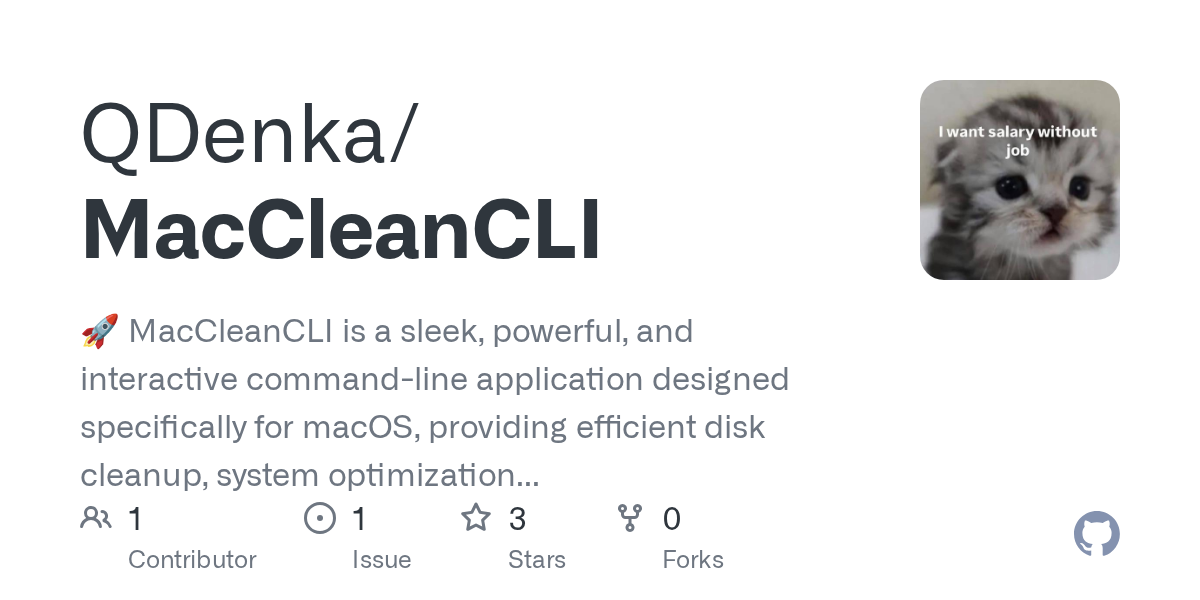
2- Clean Me
Clean Me is a macOS system analyzer and cleaner designed to help you safely reclaim disk space and maintain system health. It identifies large, unnecessary files, including oversized log files, that may be cluttering your drive.
While these logs can be deleted after review, their size often signals underlying issues with an application or the system itself, warranting further inspection before removal. Clean Me empowers you to clean confidently while staying informed.
 Kevin-De-Koninck
3- Pearcleaner
Pearcleaner is a free, source-available macOS app cleaner released under a fair-code license, inspired by Freemacsoft’s AppCleaner and Sun Knudsen’s Privacy Guides post on app cleanup scripts.
Created as a learning project to explore how macOS handles application installation and removal, and to gain hands-on Swift experience, Pearcleaner helps users thoroughly uninstall apps by removing associated files and leftovers.
The developer welcomes community feedback and feature requests to help shape its future.
 alienator88
4- macos-cleaner
macos-cleaner is a lightweight script designed to quickly remove common macOS junk files, offering a simple and straightforward way to free up disk space and tidy up your system.
 mattups
5- clean-compress
A macOS utility that cleans (and optionally compresses/zips) Xamarin solutions.
 colbylwilliams
6- Clean my macOS
Clean My macOS is a terminal-based maintenance tool built for modern macOS systems, designed to clean common junk from both the core OS and third-party applications with a single command.
It uses a simple plugin architecture, cleaning scripts are stored in ~/.cleanmymac/cleaners, allowing users to easily extend or customize functionality by adding or removing files.
 aviral2552
7- UpClean
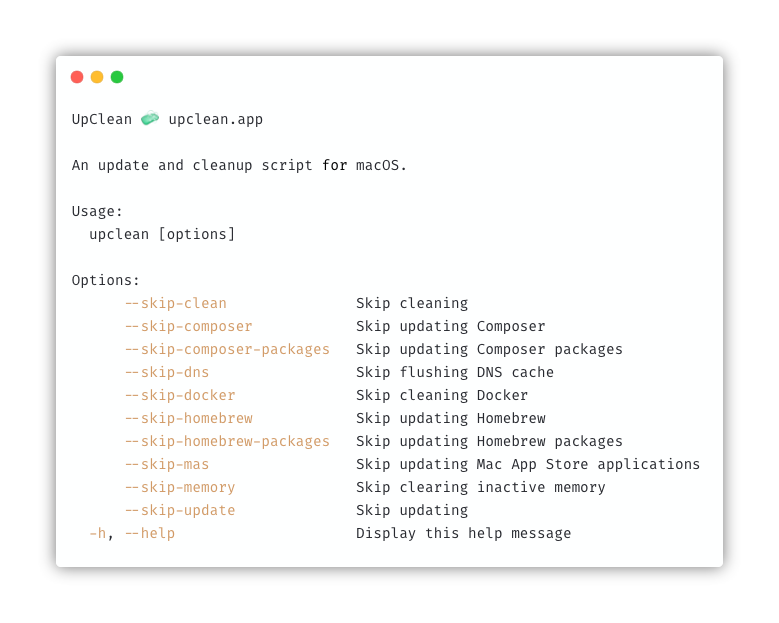
This is a free and open-source script that helps update and clean-up your macOS.
 divspace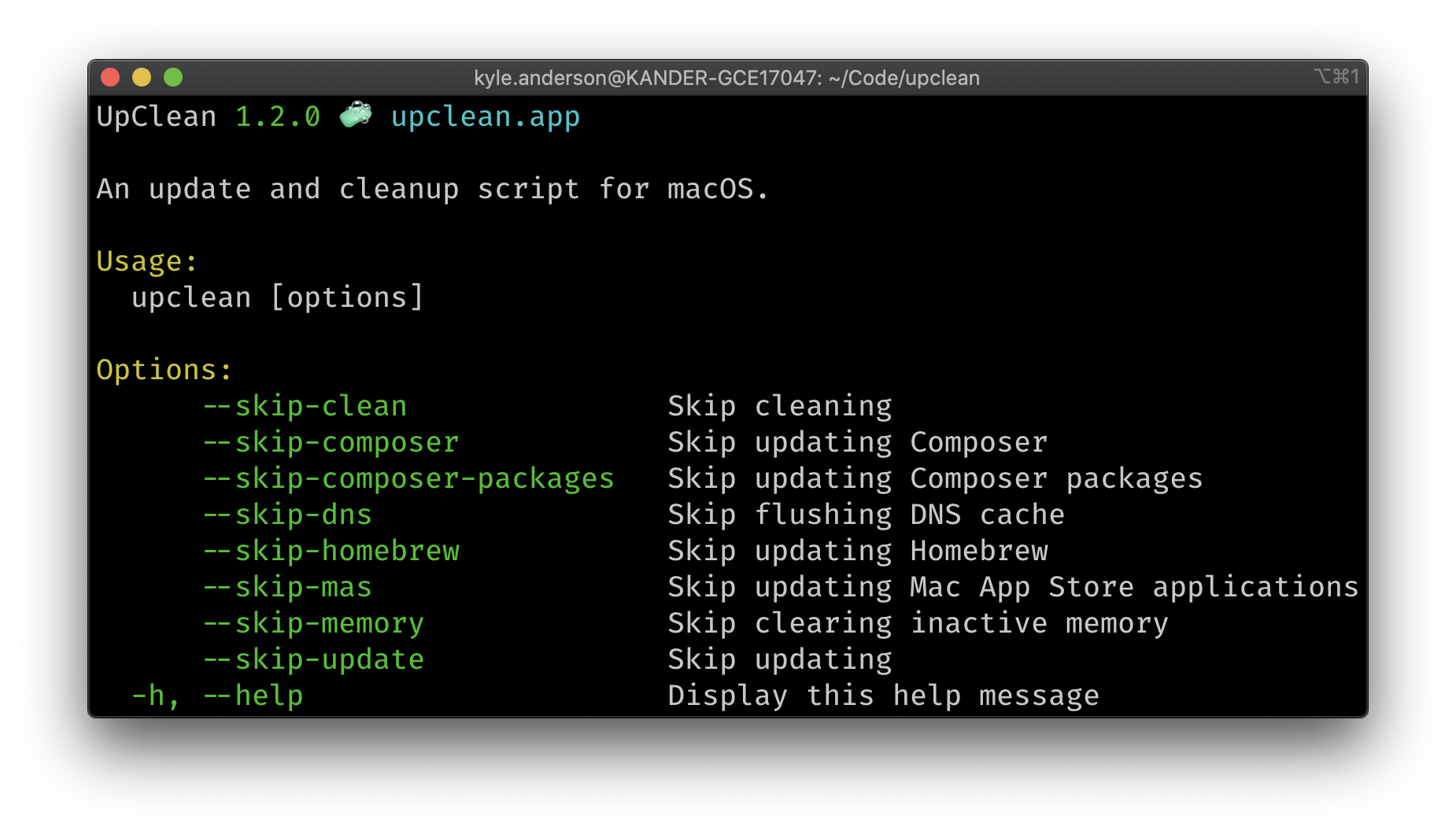
8- cleanmac
cleanmac.sh is a lightweight, free shell script that helps you clean your macOS system without relying on expensive apps. It efficiently removes unnecessary files, including system and user caches, application logs, and temporary files, to free up disk space and boost performance, all from a single terminal command.
Features
- Removes system and user cache files
- Cleans application logs
- Clears temporary files
- Empties Trash
- Cleans Safari caches
- Cleans XCode derived data and archives
- Cleans Node.js cache (npm, yarn)
- Cleans unused Docker images and containers
- Purges system memory cache
- Supports dry-run mode to preview changes
 hkdobrev
9- MacOS Maid
macOS Maid is a friendly, all-in-one shell script that keeps your MacBook tidy and up to date! With a single run, it installs system updates, empties the Trash, clears logs and caches, cleans Homebrew and Ruby, removes Docker containers, forgets old Wi-Fi networks, and even securely wipes free space.
It’ll politely ask for your password if needed and handles everything from quick cleanups to deeper maintenance, so your Mac stays fresh, fast, and secure!
 jgamblin
10- mac-cleanup
This is a free and open-source macOS cleaning script.
Mac-Cleanup Features
- Empty the Trash on All Mounted Volumes and the Main HDD
- Clear System Log Files
- Clear Adobe Cache Files
- Cleanup iOS Applications
- Remove iOS Device Backups
- Cleanup Xcode Derived Data and Archives
- Reset iOS simulators
- Cleanup Homebrew Cache
- Cleanup Any Old Versions of Gems
- Cleanup Dangling Docker Images
- Purge Inactive Memory
- Cleanup pip cache
- Cleanup Pyenv-VirtualEnv Cache
- Cleanup npm Cache
- Cleanup Yarn Cache
- Cleanup Docker Images and Stopped Containers
- Cleanup CocoaPods Cache Files
- Cleanup composer cache
- Cleanup Dropbox cache
- Remove PhpStorm logs
- Remove Minecraft logs and cache
- Remove Steam logs and cache
- Remove Lunar Client logs and cache
- Remove Microsoft Teams logs and cache
- Remove Wget logs and hosts
- Removes Cacher logs
- Deletes Android caches
- Clears Gradle caches
- Deletes Kite logs
- Clears Go module cache
- Clears Poetry cache
11- mac-cleanup-py
mac-cleanup-py is the sleek, Python-powered evolution of macOS cleanup scripts, built for speed, control, and devs who demand a clean machine.
With one command, it nukes trash, logs, caches, and cruft from 40+ tools like Docker, Xcode, Homebrew, Chrome, Steam, and more. Modular, extensible, and blazingly efficient, it’s your terminal’s ultimate hygiene hack. Keep your Mac lean, mean, and lightning-fast, no bloat, no fuss. Just pure, automated cleanup.
 mac-cleanup
12- CR - Mac Helper
CR - Mac Helper is a personal shell script by Caio Ricciuti that automates macOS cleanup, optimization, and app management, born from years of dev/tool clutter. Use at your own risk, but enjoy a leaner, smoother Mac without extra bloatware.
- App Cleanup and Management: Improved in v1.1! Thoroughly remove applications and their associated files, including preferences, caches, support documents, browser data, and other leftovers across standard system locations. Uses smarter detection logic for better results.
- Path Management: Inspect and repair broken or redundant entries in your system's PATH environment variable.
- Cache and Temp File Management: Clear out accumulated system and application caches, as well as temporary files.
- Login Items Management: Review and control applications launching automatically at startup.
- System Maintenance: Execute essential maintenance tasks like verifying disk permissions and running periodic scripts.
- System Optimization: Fine-tune system settings for performance enhancement.
Final Word: Stop Paying to Clean Your Own Mac
You bought a Mac for its elegance and performance. Don’t let bloat slow it down—and don’t let companies charge you a fortune to fix what macOS already lets you do for free.
With these 15 open-source, free macOS cleaning tools, you can:
- Reclaim tens of GBs of space
- Speed up your system
- Keep full control of your data
- Avoid monthly fees forever
It’s time to clean smarter, stay private, and keep your wallet closed.