File Browser - A Free Web File Manager for Your Server

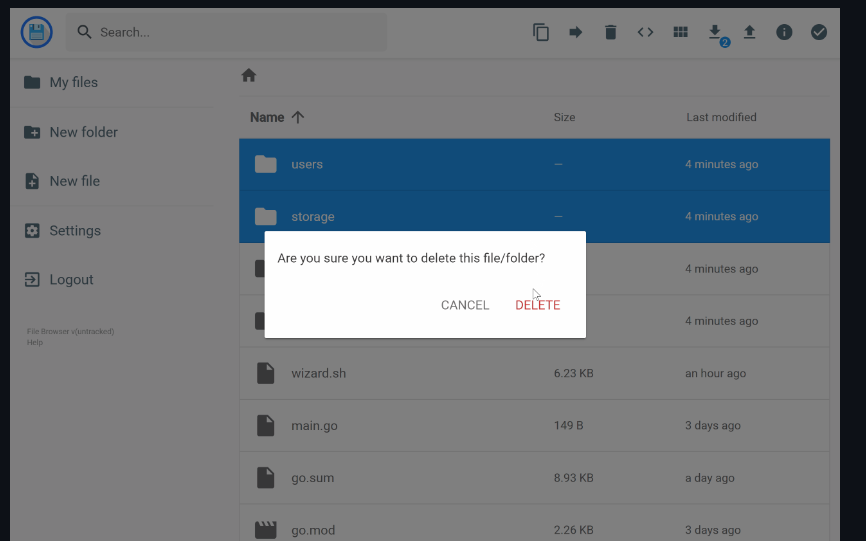
File Browser is an open-source self-hosted app that enables offers a file managing interface within a specified directory and it can be used to upload, delete, preview, rename and edit your files. It allows the creation of multiple users and each user can have its own directory.
It can be used as a standalone app, on Linux, macOS, or installed using Docker.
Features
- Single Binary
- Easy to install and use
- Responsive design
- Fast
- File Search
- Add new Files and Folders
- Delete Files
- Duplicate Files
- Preview in list or thumbnails
- Easy to upload and download
- Supports multiple users
- Multi-platform
- Can be easily install using Docker or from source
Tech
- Go language
Supported Systems
- Linux
- Windows
- macOS
- Unix
Install and use
macOS
brew tap filebrowser/tap
brew install filebrowser
filebrowser -r /path/to/your/files
Unix
curl -fsSL https://raw.githubusercontent.com/filebrowser/get/master/get.sh | bash
filebrowser -r /path/to/your/files
Windows
iwr -useb https://raw.githubusercontent.com/filebrowser/get/master/get.ps1 | iex
filebrowser -r /path/to/your/files
Login
- Username:
admin - Password:
admin
Run using Docker
docker run \
    -v /path/to/root:/srv \
    -v /path/to/filebrowser.db:/database/filebrowser.db \
    -v /path/to/settings.json:/config/settings.json \
    -e PUID=$(id -u) \
    -e PGID=$(id -g) \
    -p 8080:80 \
    filebrowser/filebrowser:s6
License
The project is an open-source project that is released under the Apache 2.0 License
Resources
GitHub - filebrowser/filebrowser: 📂 Web File Browser
📂 Web File Browser. Contribute to filebrowser/filebrowser development by creating an account on GitHub.
 filebrowser
Welcome | File Browser