14 Free & Open-Source AI Terminal Assistants for Developers (2025), Boost Your Workflow, No Cloud Needed (Bring AI to Your Terminal)

As a developer, you know how much time gets wasted hunting for commands, debugging syntax, or rewriting boilerplate. That’s where AI-powered terminal assistants come in, transforming your CLI into a smart, responsive, and intuitive workspace.
From natural language command generation to AI pair programming, error resolution, Git automation, and voice-to-code, these open-source tools are redefining how we interact with the terminal. Whether you're a developer, researcher, sysadmin, or power user, they offer real productivity gains, all free, private, and locally run.
Tools like Aider, NoLlama, Yai, TerminalAI, Zchat, Pimterm, and GO-TERM let you type plain English like "create a folder" or "fix my last error", and get instant, accurate results, no internet required. Most support local LLMs (Ollama, GGUF) or cloud APIs (OpenAI, Gemini, Claude), giving you full control over privacy and performance.
While many require basic coding knowledge to install (Node.js, Python, Go, Rust), their extensive documentation, community support, and CLI simplicity make them accessible even to advanced beginners.
Why it matters:
- No cloud dependency → 100% privacy
- Free & open-source (MIT/Apache 2.0) → no licensing costs
- Cross-platform (macOS, Linux, Windows)
- Built for speed, security, and developer freedom
The future of coding is intelligent, local, and open. Dive in. and never write a command manually again.
1- OpenAI Codex CLI
OpenAI Codex CLI is a powerful, local coding agent that runs on Windows, macOS, and Linux, bringing OpenAI’s intelligence directly to your terminal. Install with npm install -g @openai/codex or brew install codex , no cloud needed. Perfect for developers who want AI-powered code generation, debugging, and automation right in the command line.
Works seamlessly across platforms, supports real-time coding assistance, and integrates into your existing workflow. Ideal for building, testing, and refining code faster, all locally, securely, and privately.
 openai
2- Yai - AI powered Terminal Assistant
Yai is a smart, AI-powered terminal assistant that uses OpenAI’s ChatGPT to turn natural language into real shell commands, just describe what you want, and Yai does the rest. It knows your OS, username, shell, home directory, and preferred editor, and adapts to your workflow.
You can ask questions, automate tasks, or run complex commands in plain English. Perfect for developers, sysadmins, and power users on macOS, Linux, and any shell. No setup hassle, just type, let AI handle it.
 ekkinox
3- OpenCode
This is a free and open-source AI coding agent, built for the terminal. It is a great choice for developers who wanna have a smart terminal for better coding workflow.
 sst
sst
4- GO-TERM

GO-TERM is an intelligent terminal assistant built in Go and powered by Gemini AI. It enhances your command line experience with AI-powered suggestions, error resolution, and command explanations.
GO-TERM's features include:
- AI-powered command assistance using Gemini API
- Error resolution - Use AI to fix your last error with a simple command
- Clipboard monitoring - Get command suggestions based on clipboard content
- Command explanations - Get AI explanations for any command or concept
- Chat with AI - Get concise answers to your questions in 3-4 lines
- Beautiful UI - Colorful terminal interface with animations and spinners
- Command history - Persistent command history with search capabilities
- Seamless shell integration - Works alongside your regular terminal commands
 0PrashantYadav0
5- Terminal-ai
Terminal AI is the easiest way to bring OpenAI, Gemini, Claude, Ollama, and more into your terminal with just one command: npm install @dwmkerr/terminal-ai and you are ready to go!
The best thing, it is totally, free and open-source.
 dwmkerr
6- Aider AI Pair Programming in Your Terminal
Aider is the ultimate AI pair programming assistant for developers, researchers, and tech enthusiasts, bringing real-time, intelligent collaboration to your terminal and IDE. Whether you're starting a new project or enhancing an existing codebase, Aider maps your entire codebase, supports 100+ languages, and works with cloud (Claude 3.7 Sonnet, GPT-4o, DeepSeek R1) and local LLMs.
With Git integration, it auto-commits changes with smart messages, while linting & testing ensure code quality. Use voice commands, add images/web pages for context, or write comments in your code to trigger AI fixes. Works in VS Code, Vim, JetBrains, and more.
Perfect for daily coding, research prototyping, and rapid development, all powered by AI that understands your workflow. Extensive docs, tutorials, and community support make it beginner-friendly yet powerful for pros.
 Aider-AI
7- Zchat
Zchat (zch) is a powerful, AI-driven terminal chatbot for developers and advanced users on macOS and Linux, powered by OpenAI’s ChatGPT models. Instantly generate Linux commands, code snippets, and Git workflows using natural language, no more searching through docs.
With smart Git integration, it simplifies version control and boosts productivity.
 nicolodiamante
8- AI-Terminal
AI-Terminal is an advanced AI-powered CLI that enhances terminal workflows through AI-driven automation and optimization. It efficiently manages tasks such as file management, data processing, and system diagnostics.
AI-Terminal Features
- Contextual Assistance: Learns from user commands to provide syntax suggestions.
- Automated Tasks: Recognizes repetitive task patterns and creates shortcuts.
- Intelligent Search: Conducts searches within files, directories, and specific file types.
- Error Correction: Corrects incorrect commands and suggests alternatives.
- Custom Integrations: Supports integration with various tools and services via plugins or APIs.
 coding-hui
9- NoLlama

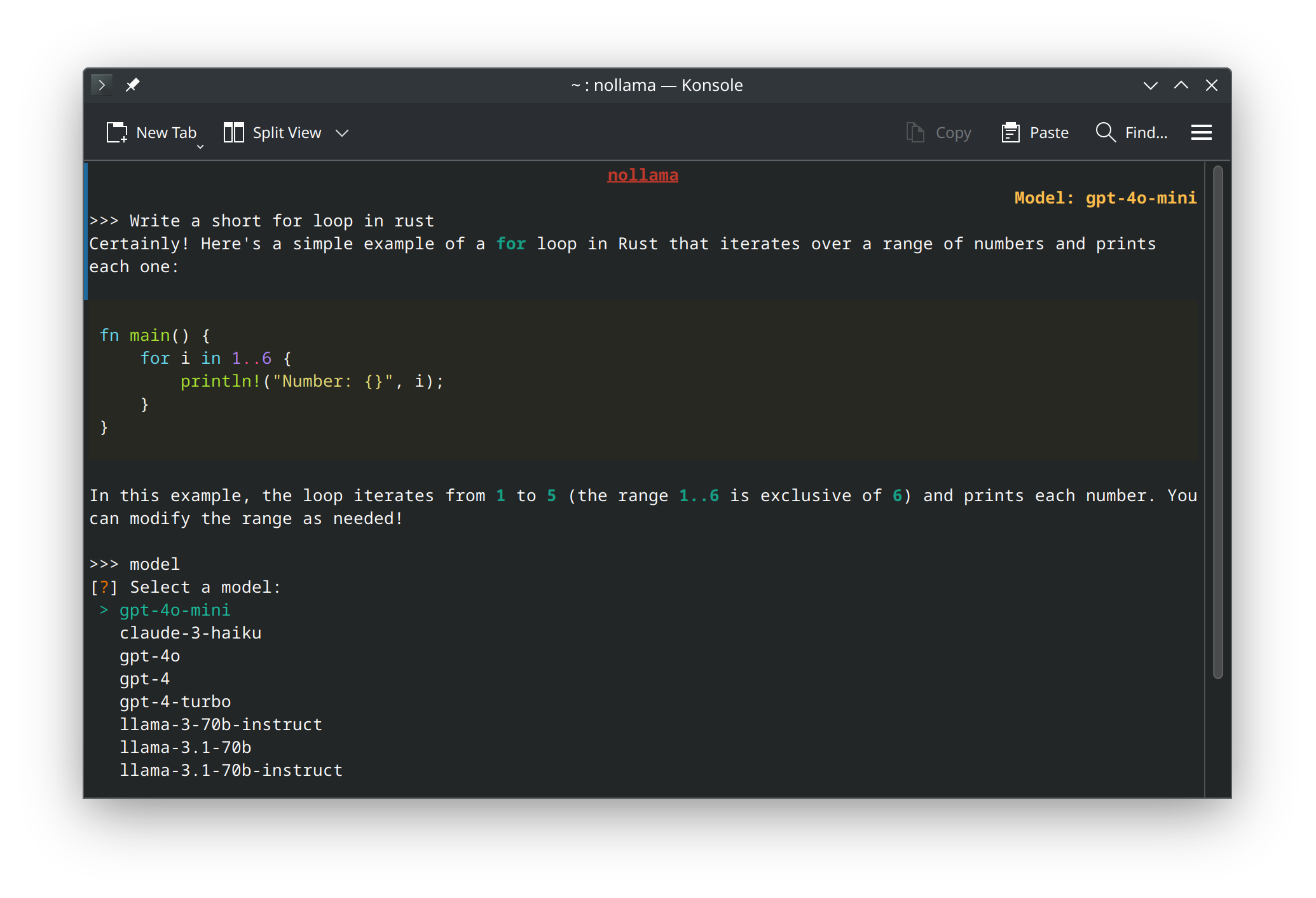
NoLlama is a sleek, terminal-based AI tool that lets you chat with Google’s Gemini API directly from your terminal, no web browser needed. Supports Gemini 2.0 Flash, Gemini 2.5 Flash Preview, and Gemini 2.5 Pro Preview. Enjoy colorful markdown rendering, fast responses, and efficient memory use.
It is built for developers and power users on macOS, Linux, and Windows. Open-source, lightweight, and future-ready with upcoming Ollama, Groq, and OpenRouter support.
Included features are:
- Google Gemini Models: Access to powerful models like Gemini 2.0 Flash, Gemini 2.5 Flash Preview, and Gemini 2.5 Pro Preview.
- Multi-turn Conversations: Maintain context between prompts for more coherent conversations.
- Neat Terminal UI: Enjoy a clean and intuitive interface for your interactions.
- Live Streaming Responses: Watch responses appear in real-time as they're generated.
- Colorful Markdown Rendering: Rich text formatting and syntax highlighting in your terminal.
- Low Memory Usage: Efficient memory management makes it lightweight compared to using a browser.
- Easy Model Switching: Simply type
modelin the chat to switch between models. - Clear Chat History: Type
clearto clear the chat history. - Exit Commands: Type
q,quit, orexitto leave the chat, or use Ctrl+C or Ctrl+D.
 spignelon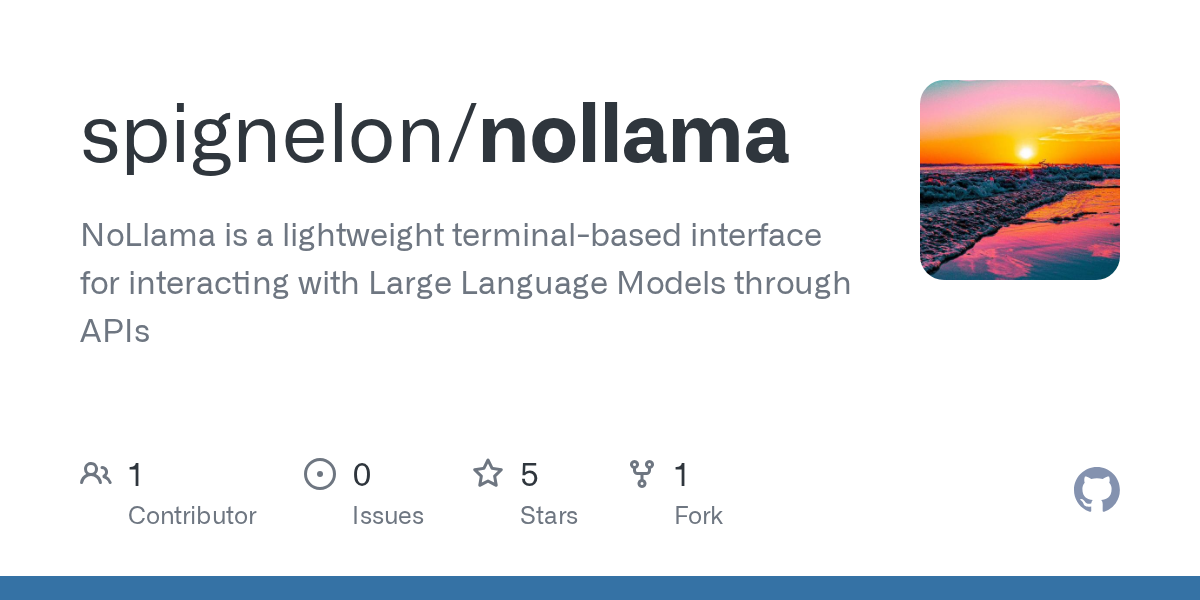
10- tgpt (ChatBot for your Terminal)
tgpt is a Cross-platform Command-Line Interface (CLI) tool that allows you to use AI in your Terminal. It is written in Go language, and works seamless on Windows, Linux and macOS.
 aandrew-me
11- NLC
NLC is a simple, open-source terminal assistant for developers and advanced users. Convert natural language to bash commands with ease, it works seamlessly on macOS and Linux. Lightweight, fast, and MIT-licensed.
You can install via Node.js & NPM. Perfect for smarter, faster CLI workflows.
 remvze
12- TerminalAI: AI-Powered Terminal Assistant

TerminalAI is a free, open-source AI terminal assistant built for developers, blending natural language processing with lightning-fast performance. Turn plain English like "create a folder" into mkdir folder instantly.
It is powered by Rust (eframe) for a sleek, dark futuristic GUI and Python for AI intelligence, it delivers real-time command conversion in a responsive, modern interface. Ideal for coding speed, CLI efficiency, and smart terminal workflows.
 nitindahiya-dev
13- TerminalBot (Jarvis)
TerminalBot (Jarvis) is a free, open-source AI-powered terminal tool for developers, built with Groq’s fast AI model. Get instant programming help, command tracing with /trace, and full file debugging via /debug , including compilation insights. Works directly in your terminal, supports natural language queries, and handles both code issues and general questions. Lightweight, responsive, and privacy-conscious.
It is open-source & free to use. Perfect for devs who want AI assistance on the go.
 Aurosish07
14- Pimterm

Pimterm is a smart, lightweight CLI tool that uses AI-powered chat to find Linux commands instantly.
You can easily type natural language like "how do I ping example.com?" and get the exact command, no memorization needed. Supports command generation, question answering, and context-aware responses. Fast, simple, and powered by AI, perfect for devs, sysadmins, and beginners.
 Pimverleg
14- AI Terminal

Basically, It is a Terminal with AI assistant that makes it fun. It is a blazing-fast, responsive terminal app built with Tauri + Angular, merging natural language commands with powerful AI integration.
Type like you speak: “Open settings” or “Show my downloads”, the AI understands and acts instantly.
You can enjoy command history, auto-completion, and a sleek modern UI. Fully cross-platform (macOS, Windows, Linux), lightweight, and secure. Perfect for developers seeking a smart, intuitive, and fast AI-powered terminal experience.
However for AI features you are required to download and install Ollama model!
 AiTerminalFoundation
Looking for more open-source AI resources and tools for developers?
Checkout the following articles!
 Hazem Abbas
 Hazem Abbas
 Hazem Abbas
 Hazem Abbas
 Hazem Abbas
 Hazem Abbas
 Hazem Abbas
 Hazem Abbas
 Hazem Abbas
 Hazem Abbas
 Hazem Abbas
 Omama yahia