
What is an Image Reverse Search and What is it used for?

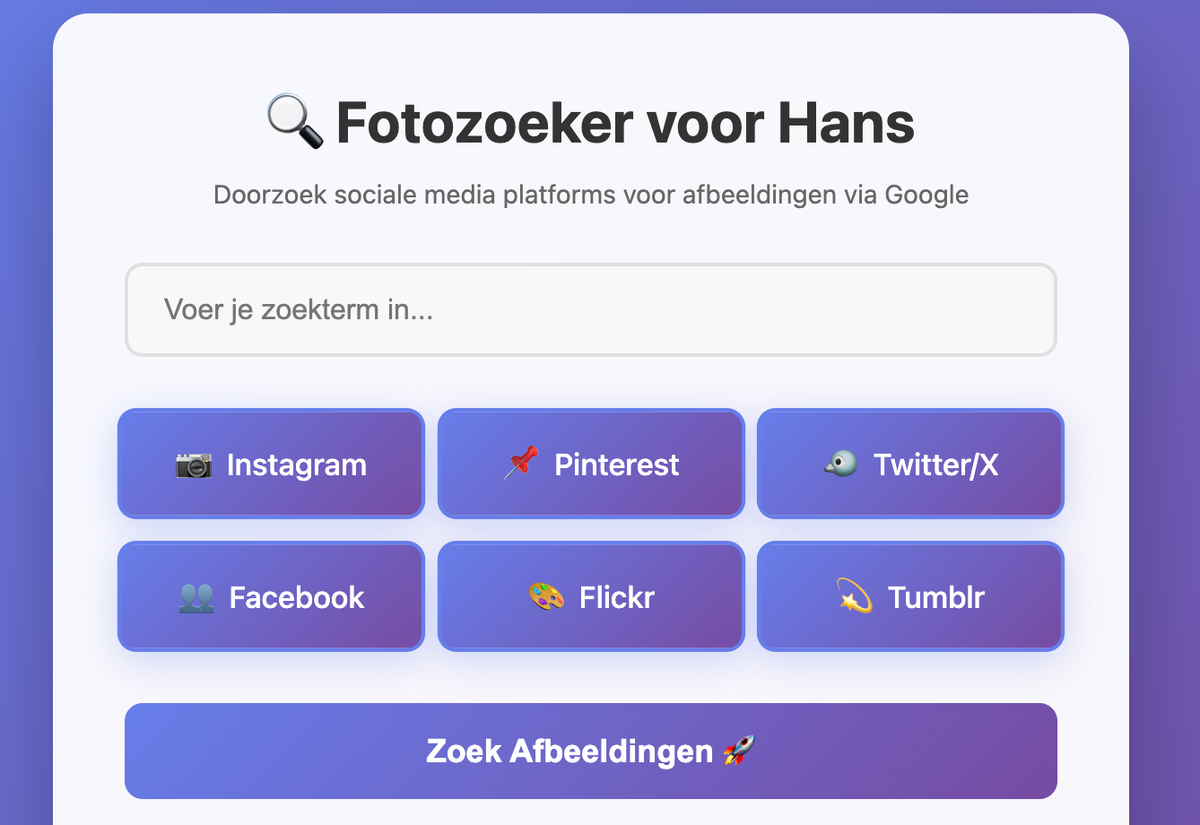
What Is an Image Reverse Search? The Ultimate Guide to Finding Images Online (And Staying Safe)
In a world where visuals dominate social media, e-commerce, and digital communication, one powerful tool stands out: image reverse search. Whether you're trying to track down the origin of a meme, verify a photo’s authenticity, or protect your own content from theft, reverse image search is your digital detective.
But what exactly is it? How does it work? And most importantly, is it safe? In this comprehensive, SEO-optimized guide, we’ll break down everything you need to know about reverse image search, including its uses, top tools, privacy concerns, and how to use it without compromising your security.
 Hazem Abbas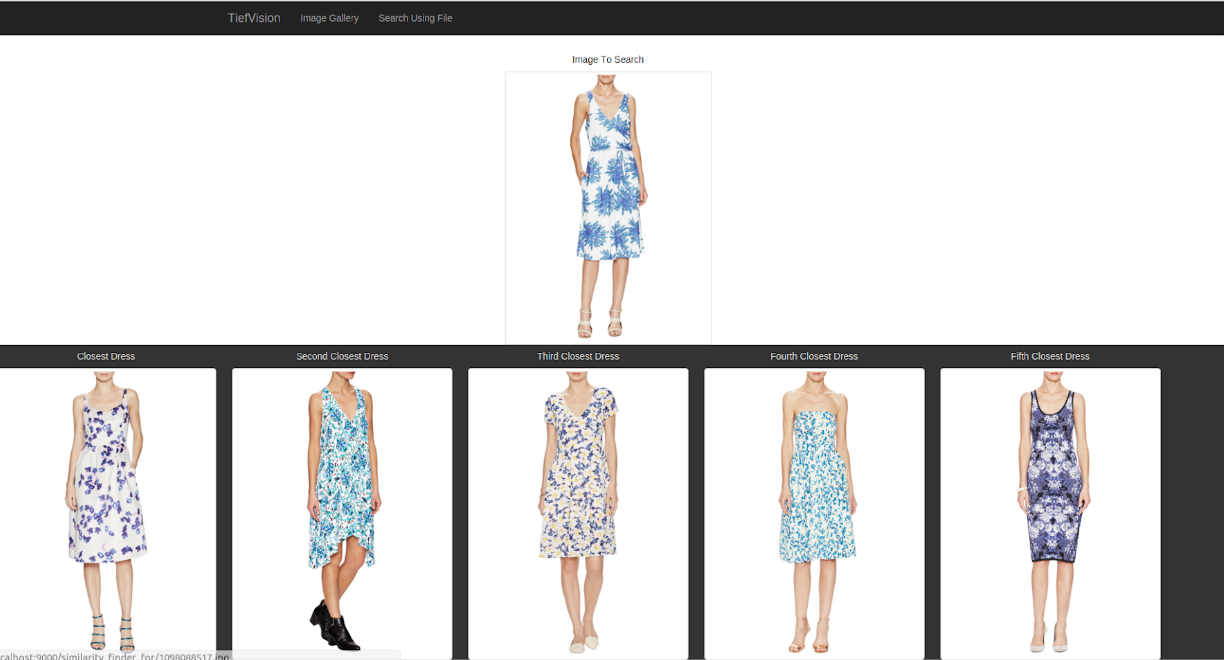
What Is an Image Reverse Search?
An image reverse search (also known as reverse image lookup or image similarity search) is a technology that allows you to upload an image or provide its URL to find visually similar or identical images across the web.
Unlike traditional text-based searches, reverse image search uses computer vision algorithms and machine learning to analyze the visual content of an image, colors, shapes, patterns, and metadata, to locate matches.
Think of it as Google for pictures. Instead of typing “golden retriever puppy,” you upload a photo of one and let the internet show you where else that image (or similar ones) appear.
How Does Reverse Image Search Work?
Behind the scenes, reverse image search engines use image fingerprinting. Here's a simplified breakdown:
- Upload or URL Input: You upload an image or paste its web address.
- Feature Extraction: The tool analyzes key visual features, edges, textures, colors, composition.
- Hash Generation: A unique digital "fingerprint" (hash) is created for the image.
- Database Matching: The system scans billions of indexed images to find matches or near-duplicates.
- Results Displayed: You get links to websites where the image appears, similar visuals, or higher-resolution versions.
Popular platforms like Google Images, Yandex, TinEye, and Bing Visual Search offer this functionality, often for free.
What Is Reverse Image Search Used For?
Reverse image search isn’t just a neat trick, it’s a practical tool with real-world applications. Here are the top 7 uses:
1. Find the Source of an Image
Ever seen a stunning photo on Instagram and wondered where it came from? Reverse search helps trace its original source, which is crucial for giving proper credit or verifying authenticity.
2. Detect Image Theft & Copyright Infringement
If you're a photographer, designer, or content creator, reverse search helps protect your intellectual property. Tools like TinEye are used to scan the web for unauthorized use of your images.
3. Verify Fake News & Deepfakes
With misinformation spreading rapidly, reverse image search is a frontline defense. If a viral image claims to show a celebrity in a scandal, a quick reverse lookup can reveal it’s actually from a movie scene or old news.
4. Shop Smarter: Find Products from Photos
Snap a pic of a jacket you saw on the street? Upload it to Google Lens or Bing and find identical or similar items for sale online. It’s like visual shopping made easy.
5. Identify Unknown People, Places, or Objects
From recognizing landmarks to identifying plants or animals, reverse image search powers tools like Google Lens and CamFind. Great for travelers, students, and curious minds.
6. Find Higher Resolution Versions
Got a blurry screenshot? Reverse search often leads to original, high-quality versions of the image, perfect for designers and researchers.
7. Investigate Suspicious Profiles (Use Responsibly)
Dating scams and fake social media accounts often use stolen photos. Reverse image search can help spot catfishing, but always respect privacy and avoid harassment.
Is Reverse Image Search Safe? Privacy & Security Concerns
This is one of the most common questions, and rightly so. Let’s address the big concerns:
Is It Safe to Upload Images?
Yes, with caveats.
- Google Images & Bing: When you upload an image via Google Lens or Google Images, the image is temporarily stored and used only for the search. Google states it doesn’t save your image for long-term use.
- TinEye & Yandex: These tools are privacy-focused. TinEye, for example, deletes uploaded images after processing.
- Avoid Uploading Sensitive Content: Never upload private photos (like IDs, family pics, or nude images). Even secure platforms can’t guarantee 100% safety.
Can Reverse Image Search Be Used Against Me?
Potentially, but only if someone has your photo.
- Public Photos: If your image is already online (e.g., on social media), it can be reverse-searched.
- Stalking Risk: Malicious users might use reverse search to gather info about you. That’s why privacy settings on social platforms are critical.
- Protect Yourself: Use watermarks, disable right-click on your website, and limit personal photo sharing.
Do These Tools Store My Data?
Most reputable services do not store your images permanently. However:
- Google may keep logs for system improvement (anonymized).
- Always read the privacy policy of any reverse image search tool you use.
Pro Tip: Use incognito mode and clear your search history when doing sensitive reverse searches.
Top 5 Reverse Image Search Tools in 2024
| Tool | Best For | Privacy Level | Free? |
|---|---|---|---|
| Google Images | General searches, shopping, sourcing | High | ✅ |
| TinEye | Copyright protection, exact matches | Very High | ✅ (limited), 💬 Pro version |
| Yandex Images | Finding obscure or foreign content | High | ✅ |
| Bing Visual Search | Shopping, product lookup | High | ✅ |
| Google Lens | Mobile, real-time object ID | High | ✅ |
Bonus: Use Google Lens on Android/iOS to reverse search photos in real time, just point your camera!
 Hazem Abbas
Frequently Asked Questions (FAQ)
Can I Reverse Search a Screenshot?
Yes! Screenshots work well, especially if the subject is clear. Just upload or drag the image into Google Images.
Does Reverse Image Search Work on Blurry Photos?
It depends. Blurry or heavily cropped images reduce accuracy. Higher quality = better results.
Can I Reverse Search from a Phone?
Absolutely. Use Google Lens (built into Android and the Google app for iOS) or upload via mobile browser.
Is It Legal to Use Reverse Image Search?
Yes, as long as you’re not using it for harassment, stalking, or illegal purposes. Always follow ethical guidelines.
Can Reverse Image Search Find Faces?
Yes, but with limitations. Google doesn’t return personal identities (to protect privacy), but it may show where the face appeared online.
How Accurate Is Reverse Image Search?
Very accurate for exact matches. Less so for heavily edited or stylized versions. Yandex often outperforms Google for non-English content.
SEO & Keyword Tips: Why This Matters for Creators
If you're a blogger, marketer, or small business owner, understanding reverse image search can boost your SEO and brand protection.
- Optimize Image Alt Text: Helps your images appear in reverse searches.
- Watermark Your Photos: Deters theft and promotes brand recognition.
- Monitor Brand Usage: Use TinEye alerts to track unauthorized use of your product images.
Pro SEO Move: Name your image files descriptively (e.g., red-leather-sofa.jpg) and include alt text. This improves visibility in both text and image searches. Hazem Abbas
Final Thoughts: Empower Yourself with Visual Intelligence
Reverse image search is more than a tech gimmick, it’s a powerful tool for truth, creativity, and protection in the digital age. Whether you're a casual user, content creator, or investigator, mastering this skill gives you an edge.
But remember: with great power comes great responsibility. Always use reverse image search ethically, respect privacy, and protect your own digital footprint.
Ready to Try It?
- Go to images.google.com
- Click the camera icon
- Upload an image or paste a URL
- Hit search and uncover the web’s visual secrets!
By understanding what reverse image search is, how to use it safely, and why it matters, you’re not just searching smarter, you’re navigating the web with confidence and control.
Now go, become the Sherlock Holmes of the digital world.
More Resources
 The-Osint-Toolbox


