Stop Wasting Tokens: How CLAUDE.md Slashes Your AI Development Costs


Building an app in the age of agentic AI is incredibly fast, but it can also become incredibly expensive.
If you've ever used Claude Code, Cursor, or other agentic coding tools, you know the drill: you start a session, watch the AI write beautiful code, and then-three prompts later-it completely forgets your database naming conventions, tries to write a pnpm command inside a npm project, or reads 50,000 tokens of redundant codebase files just to find a single testing command.
Every time an AI "forgets," hallucinates, or loops on a broken build command, your API token costs skyrocket, and your valuable development hours melt away.
Enter CLAUDE.md, the single highest, leverage, most underutilized tool in context engineering. Understanding this humble markdown file is the ultimate cheat code to slashing your AI development costs and supercharging your velocity.
Here is why mastering CLAUDE.md will save you massive amounts of money and effort when building your next application.
 Hamza Musa
1- Eliminate the High-Cost "Cold Start" AI Tax
When you launch a new coding agent session, it enters your repository completely blind. Without explicit guidance, it has to recursively search directories, guess your package manager, and read giant configuration files just to figure out how to run a basic test.
📂 project-root/
├── CLAUDE.md        <-- Read instantly at startup!
├── package.json
└── src/
The CLAUDE.md file acts as an instant, lightweight onboarding manual. Loaded directly at the start of every session, it gives the agent a map of the landscape before it writes a single line of code. By giving the AI immediate clarity on your tech stack, you bypass the token-heavy discovery phase, instantly optimizing your AI token consumption and keeping your API bills to a minimum.
2- Drastically Lower AI Token Consumption to Save Cash
Every single word an AI reads or writes costs money. In massive codebases, context window bloat is the silent killer of project budgets.
A poorly optimized workspace forces the AI to pull thousands of lines of redundant files into its active memory. A lean CLAUDE.md configuration (ideally keeping it under 100-150 lines) acts as a highly efficient traffic controller.
Instead of dumping your entire documentation into the main file, you use progressive disclosure. You keep the core file ultra-short and point the AI to specific directories or .claude/rules/ when-and only when-those specific systems are touched.
This keeps your always-on context well under the critical 5% ceiling of the model's context window, keeping your on-demand AI context incredibly cheap.
Understanding the Smart Configuration Hierarchy
| File Level | Scope & Purpose | Token Impact |
|---|---|---|
Global (~/.claude/CLAUDE.md) |
Your personal preferences & global git styles. | Very low (loaded once) |
Project Root (./CLAUDE.md) |
The app's core architecture, run commands, & constraints. | Small, highly optimized |
Directory-specific (./packages/api/CLAUDE.md) |
Specific rules (e.g., FastAPI vs. React) loaded only on demand. | Zero tokens unless directory is accessed |
 Hamza Musa
3- Standardize Commands to Prevent Costly AI "Infinite Loops"
We've all watched in horror as an autonomous coding agent tries to run a test, fails because of a typo, tries a different command, fails again, and enters a 10-step loop of self-correction-burning through $5 of API credits in thirty seconds.
By defining precise build, lint, and test commands in your CLAUDE.md commands block, you eliminate guessing games.
Commands
- Build: `pnpm build`
- Test: `pnpm test`
- Lint & Fix: `pnpm lint --fix`
When the AI has an explicit, verified command block, it can run self-validation loops with absolute precision. It makes a change, runs the test script you provided, verifies the exit code, and moves on. No trial-and-error, no broken dependencies, and no wasted compute cycles.
 Hamza Musa
4- Stop the AI from Overcomplicating Your Architecture
By default, LLMs love to write code. Left to their own devices, they will frequently build speculative features, write overly complex abstractions, or add unnecessary configurations you never asked for.
Using CLAUDE.md constraints allows you to enforce a strict minimalist coding pattern directly in the model's behavioral system.
By establishing rules like "Surgical changes only-touch only what you must" or "No speculative features beyond the direct user request," you force the AI to write clean, concise, and highly maintainable code. Fewer lines of generated code mean fewer bugs, faster PR reviews, and dramatically lower technical debt down the road.
 Hamza Musa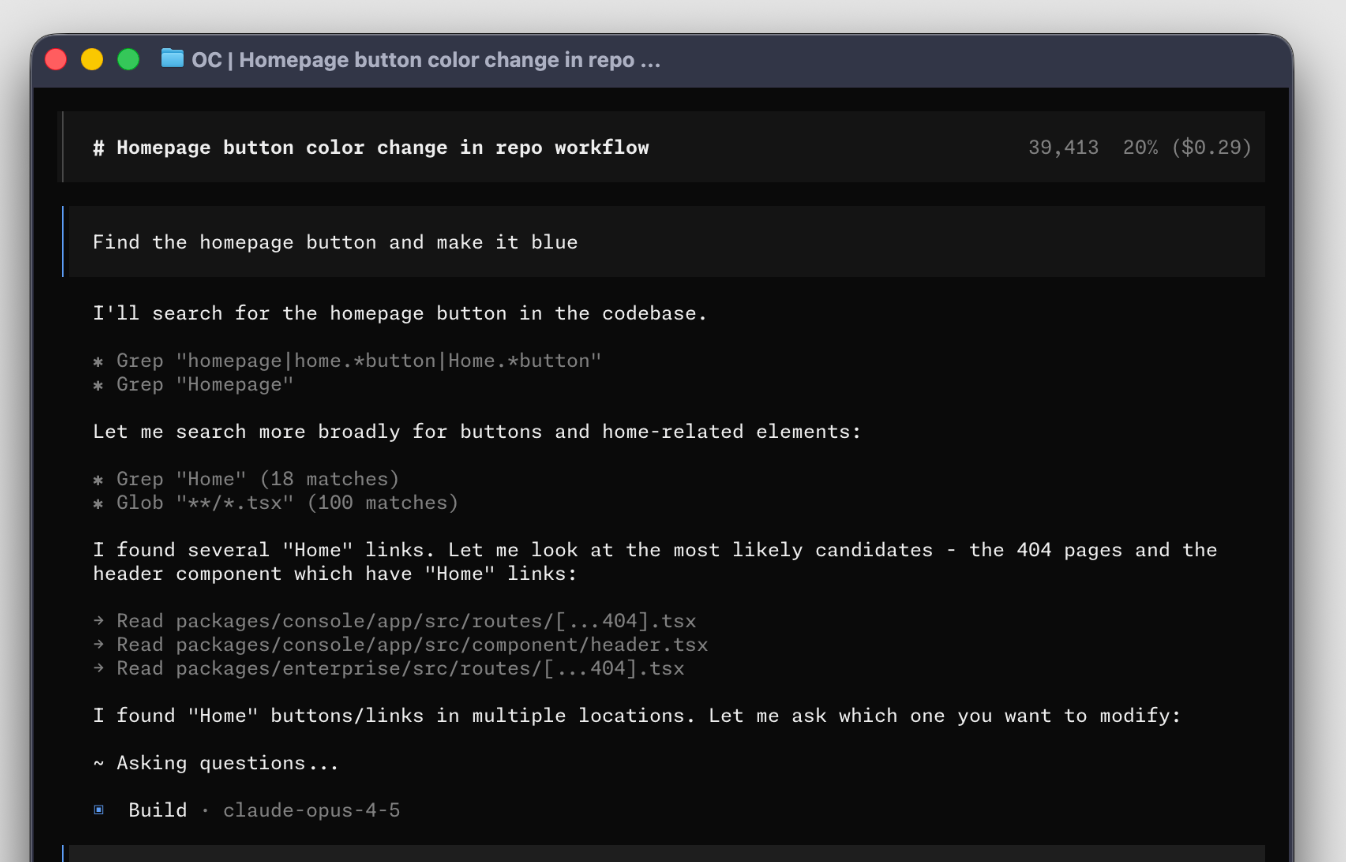
5- Seamless Onboarding for Both Humans and AI Agents
A great codebase is one that can be easily understood by anyone-whether they are a human developer or an agentic LLM.
When you write an effective, well-structured CLAUDE.md, you are simultaneously writing a gold-standard onboarding document for new human teammates.
Instead of spending days setting up local environments, a new engineer can read your file, run the explicit commands listed, and understand your exact architectural patterns in five minutes. It unifies the development standards of your entire human-AI hybrid workflow, keeping everyone-silicon and biological alike-on the exact same page.
 Hamza Musa
6- Prevent "Style Fatigue" and Repetitive Prompt Correction
There is nothing more exhausting than starting an AI session and having to type the exact same instructions for the hundredth time: "Remember to use TypeScript functional components, don't use inline CSS, and always write async database queries."
This "prompt fatigue" doesn't just drain your patience; it also costs money when you forget to do it and have to pay the AI to rewrite its own work.
Your CLAUDE.md conventions act as a permanent memory layer. It acts as a set-it-and-forget-it system ruleset. By offloading style, linting, and structural rules to the markdown file, you save your brainpower for actual problem-solving and let the system handle the tedious details automatically.