15 Free Open-source Docker Monitoring Solutions and Watchdog Apps

In today’s fast-paced digital world, Docker has become a the way to go solution for developers, sysadmins, and even small businesses. But what exactly is Docker, and why does it matter?
At its core, Docker is a platform that lets you package applications and their dependencies into lightweight, portable containers. Instead of wrestling with complex setups, you can run your app on any machine, whether it’s a local laptop, a cloud server, or a Raspberry Pi, with just one command.
Why You Need Docker Monitoring Tools (And How to Choose the Right One)
Think of Docker as a digital suitcase: everything your app needs, code, libraries, config files, is packed neatly inside. No more “it works on my machine” chaos.
This portability makes Docker essential in modern software development, CI/CD pipelines, microservices architecture, and even home labs.
But here’s the catch: just because your apps are running doesn’t mean they’re healthy.
That’s where Docker monitoring tools come in.
Why Do We Need Docker Monitoring?
Imagine launching 10 containers for different services, your web app, database, cache, API gateway, and more. Everything starts smoothly… until one container suddenly spikes CPU usage, crashes, or runs out of memory.
Without monitoring, you’d only find out when users start complaining.
Docker monitoring tools give you real-time visibility into:
- CPU & Memory Usage: Spot resource hogs before they crash your system
- Container Status: Know instantly if a container is running, stopped, or restarting
- Network & Disk I/O: Track traffic and storage bottlenecks
- Alerts & Notifications: Get timely warnings via Slack, Telegram, email, or webhooks
- Logs & Diagnostics: Debug issues quickly with live log streams
Without these insights, managing multiple containers becomes like flying blind, especially as your setup grows.
Who Needs Docker Monitoring Tools?
You might think this is only for DevOps teams or big enterprises. But the truth? Anyone using Docker should care about monitoring.
Here’s who benefits most:
- Developers: Test locally, deploy confidently. Monitor during staging and production.
- Sysadmins & IT Pros: Keep servers stable, prevent downtime, manage remote hosts.
- Homelab Enthusiasts: Run media servers, home automation, AI models, all safely and efficiently.
- Startups & SMBs: Scale without complexity. Avoid costly outages.
- MSPs & Freelancers: Deliver reliable service to clients with professional-grade oversight.
Even if you're not a tech expert, a good monitoring tool gives you peace of mind, knowing your systems are working, not just running.
What Makes a Great Docker Monitoring Tool?
Not all tools are created equal. The best ones combine simplicity, performance, and power. Look for features like:
- Real-time dashboards (no lag!)
- Lightweight design (under 20MB footprint)
- Easy setup with Docker Compose
- Support for alerts via Telegram, Discord, email, and more
- Multi-host & remote monitoring
- Web-based UI (mobile-friendly!)
- Open-source & self-hosted (for privacy and control)
Tools like Uptime Kuma, Atlas, Dockermon, Pulse, StatNet, and Beszel are leading the charge, offering powerful, free, and user-friendly solutions that fit every use case.
The right Docker monitoring tool turns chaos into clarity, stress into confidence, and downtime into uptime.
So don’t wait until something breaks. Choose a tool that fits your needs, set it up in minutes, and take full control of your containerized world.
Ready to get started? Check out our curated list.
1- Docker-Alertd
This is a free and open-source tool that monitors Docker containers on a host machine and sends alerts via email or Slack when specified usage limits or conditions are breached.
It can monitor for container existence, running state, maximum Memory usage, maximum CPU usage, and minimum process count within the container.
Currently, alerts can be sent based on:
- Container existence (regardless of running state)
- Running state (running or existed)
- Memory usage (in MB)
- CPU Usage (as a percentage)
- Minimum Process running in container
2- Dockwatch
A simple Terminal-based Docker manager using a Text-User Interface (TUI).
It allows you to manage Docker containers with keyboard shortcuts and provides live container stats (CPU, memory, PIDs), the ability to start/stop/restart, view logs, and open an interactive shell without leaving the terminal.
- Download: Dockwatch
3- DockMate
This is a free and open-source Terminal-based docker container manager that looks similar to htop or atop apps.
Its features include
- Live container metrics: CPU, memory, PIDs, network I/O, block I/O
- Start / stop / restart containers
- View recent logs
- Open an interactive shell inside a container
- Sort by any column
- Auto-refresh every 2 seconds
- Fully keyboard-driven (no mouse)
- Resizes cleanly with your terminal
Like all good and fast apps, it is written using Go.
5- ZoomPhant
Zoomphant is the next-generation free monitoring tool. Integrates cloud and on-premise deployment. Supporting the hybrid collection of metrics and logs.
The script is capable of monitoring not only Linux, Windows, Kubernetes, and Docker but also GPU, FileCoin, Databases, Proxmox, Network monitoring, local files, and more.
- Download: ZoomPhant
6- Cherry Dock
Cherry Dock is an open source docker monitoring and management tool written in Golang & React.
It allows user to perform basic operations on docker containers and analyze various metrics about containers ressources. For the time being, it only supports standalone docker engine.
- Download: Cherry Dock
7- Simon
Simon is a free and open-source lightweight, all-in-one system monitor with Docker support, live metrics, alerts, and full file management.
It's a single, dependency-free binary written in Rust, designed for resource-constrained environments like embedded Linux systems.
Simon's current features include:
- Built in Rust for speed and safety
- Single binary, zero dependencies — just run it
- Ultra-lightweight, ideal for embedded or low-power devices
- Real-time system metrics: CPU, memory, disk, I/O, network
- Interactive charts to track performance trends
- Works on Linux, Windows, Android, FreeBSD
- Native support for x86_64, i686, aarch64, armv7
- Monitor Docker containers with real-time stats
- View and search container logs directly in the browser
- Web-based file browser with drag-and-drop uploads
- Preview files, create folders, move, delete, and download with resume support
- Custom alerts for CPU, memory, disk, and network
- Send notifications via Telegram, ntfy, or webhooks
- Pre-built templates for quick setup
You can download and install Simon using the following link.
- Download: Simon
8- Atlas - Network Infrastructure Visualizer

Atlas is a full-stack containerized tool to scan, analyze, and visualize network infrastructure dynamically. Built with Go, FastAPI, NGINX, and a custom React frontend, it provides automated scanning, storage, and rich dashboards for insight into your infrastructure.
Atlas's features include:
- Scans running Docker containers to find:
- IP addresses (multiple per container)
- MAC addresses (multiple per interface)
- Open ports
- Network names
- OS type (from image metadata)
- Tracks each network interface separately
- Automatically discovers devices on your local subnet:
- Finds reachable hosts
- Identifies OS fingerprints, MAC addresses, and open ports
- Builds a complete, real-time picture of your network
- Visualizes everything in a sleek, interactive dashboard:
- Real-time network maps with dynamic graphs
- Powered by FastAPI (backend) and React (frontend)
- Served via Nginx, clean, fast, and ready to use
- See who’s connected, what they’re doing, and how it all fits together, at a glance
The following link include Alta's repo, where you can download, install and read amore info about Altas.
- Download: Atlas
 karam-ajaj
9- dockprom
Docker hosts and containers monitoring with Prometheus, Grafana, cAdvisor, NodeExporter and AlertManager.
Download: dockprom
10- DockMon
This is a free and open-source comprehensive Docker container monitoring and management platform with real-time monitoring, intelligent auto-restart, multi-channel alerting, and complete event logging.
Key Features
- Multi-Host Monitoring - Monitor containers across unlimited Docker hosts (local and remote)
- Real-Time Dashboard - Drag-and-drop customizable widgets with WebSocket updates
- Real-Time Statistics - Live CPU, memory, network metrics
- Real-Time Container Logs - View logs from multiple containers simultaneously with live updates
- Event Viewer - Comprehensive audit trail with filtering, search, and real-time updates
- Intelligent Auto-Restart - Per-container auto-restart with configurable retry logic
- Advanced Alerting - Discord, Slack, Telegram, Pushover, Gotify, SMTP with customizable templates
- Container Tagging - Automatic tag derivation from Docker labels with user-defined tags
- Bulk Operations - Start, stop, restart multiple containers simultaneously with progress tracking
- Container Deployments - Deploy containers to local and remote hosts. Supports Docker Run style deployments as well as Docker Compose, including the ability to create templates for repeated deployments
- Automatic Updates - Detect and execute container image updates on schedule
- HTTP/HTTPS Health Checks - Custom endpoint monitoring with auto-restart on failure
- Blackout Windows - Schedule maintenance periods to suppress alerts
- Secure by Design - Session-based auth, rate limiting, mTLS for remote hosts, Alpine Linux base
11- Uptime Kuma 🧑💻
Uptime Kuma is your friendly watchdog for websites and services. It’s easy to set up, self-hosted, and super intuitive.
Monitor uptime, ports, Docker containers, and more with real-time alerts via Telegram, Slack, email, and 90+ other ways. Clean, fast UI, multi-language support, and runs in seconds, perfect for devs, teams, or anyone who hates downtime!
 louislam
12- Beszel
Beszel is a lightweight server monitoring platform that includes Docker statistics, historical data, and alert functions.
It has a friendly web interface, simple configuration, and is ready to use out of the box. It supports automatic backup, multi-user, OAuth authentication, and API access.
Beszel's features
- Lightweight: Smaller and less resource-intensive than leading solutions.
- Simple: Easy setup with little manual configuration required.
- Docker stats: Tracks CPU, memory, and network usage history for each container.
- Alerts: Configurable alerts for CPU, memory, disk, bandwidth, temperature, load average, and status.
- Multi-user: Users manage their own systems. Admins can share systems across users.
- OAuth / OIDC: Supports many OAuth2 providers. Password auth can be disabled.
- Automatic backups: Save to and restore from disk or S3-compatible storage.
 henrygd
13- StatNet
StatNet is an ultra-lightweight real-time monitoring app with a simple web interface. It’s designed to be fast, minimal, and efficient. Built as a fully static site using Next.js and powered by a Go backend.
 Hazem Abbas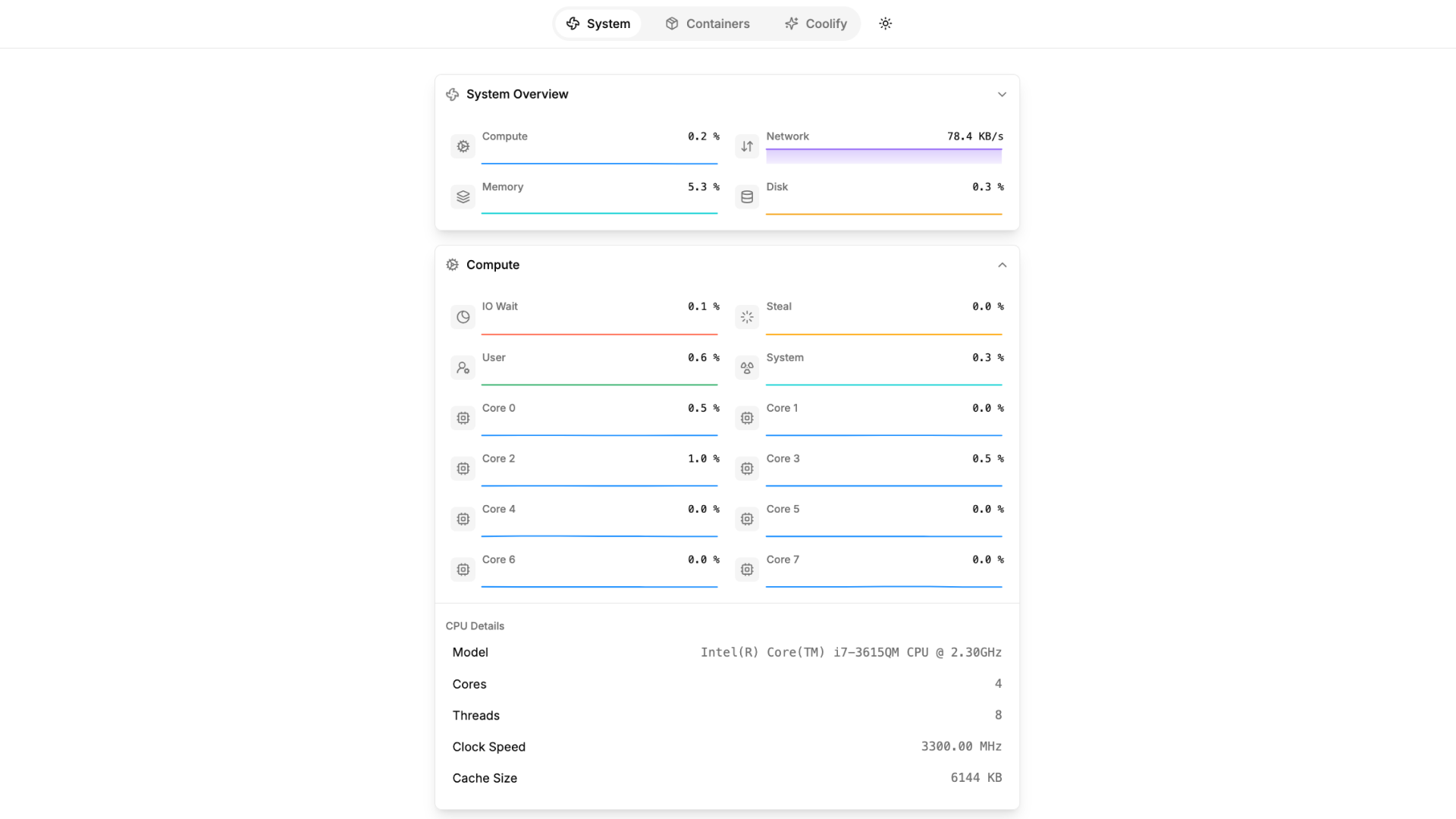
14- Dockermon

Dockermon is a lightweight, self-contained Docker host monitor and management tool that runs as a container. It connects to your Docker engine via socket or HTTP to collect real-time stats and manage containers, images, volumes, networks, and more.
With a fast React/NextJS dashboard and a NestJS companion app (available for Mac), it offers an intuitive interface for local and remote Docker system control, all in one sleek, easy-to-use package.
 drumfreak
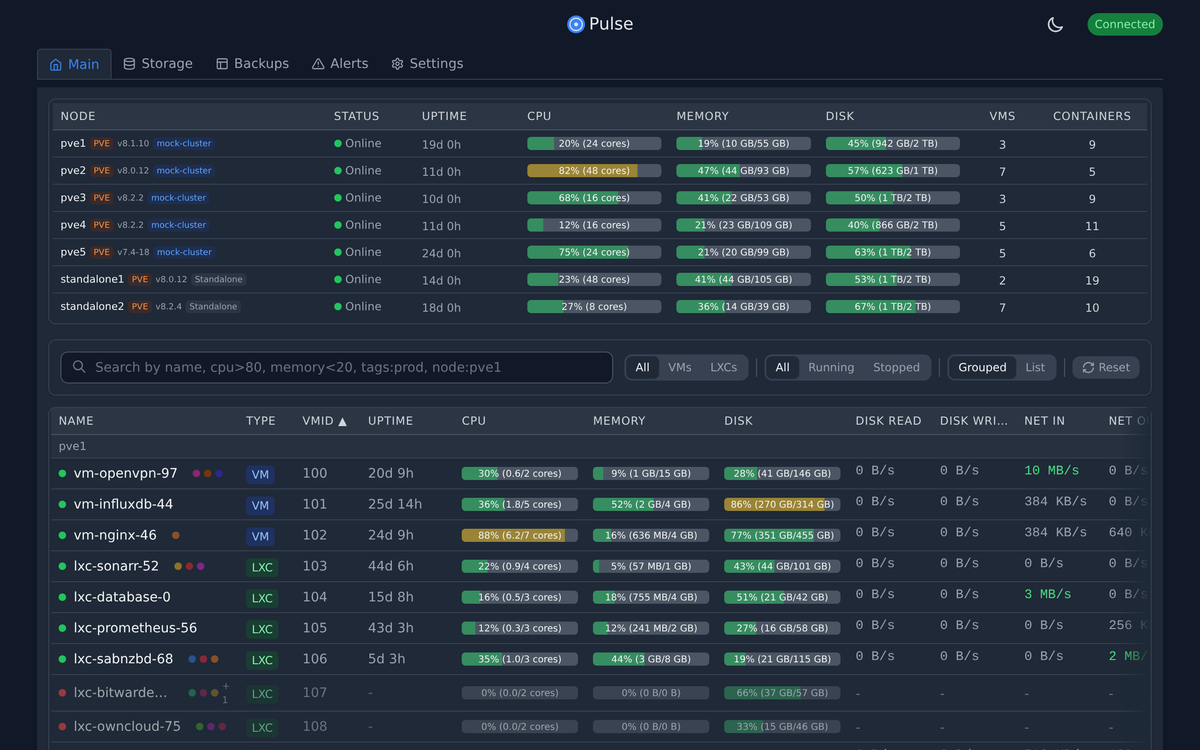
15- Pulse
Pulse is a sleek, modern dashboard for managing your Proxmox and Docker environments from one place. It unifies monitoring of Proxmox VE, Backup Server, Mail Gateway, and standalone Docker hosts into a clean, intuitive interface.
Automatically discovers nodes on your network, tracks health and metrics, and sends smart alerts via Discord, Slack, Telegram, email, and more.
Puls is perfect for homelabs, sysadmins, and MSPs who want a powerful yet simple "single pane of glass" without enterprise complexity.
More Readings
 Hazem Abbas
 Hazem Abbas