Stop Building Backends from Scratch: 8 Headless CMS Low-code That Let You Focus on What Matters


You know that moment when you’re excited to build something amazing, a healing app for families, a knowledge hub for equine therapy, or a platform that brings people together through mindful design, but then reality hits? The backend. The API. The database. The auth. The deployment.
I’ve seen it happen too many times. My developer friends, brilliant and passionate, get stuck in the weeds of setting up infrastructure instead of focusing on what truly matters: building meaningful experiences. They spend weeks wrestling with config files, security patches, and scalability headaches, all while trying to keep their project alive.
That’s why I’m sharing this. Not just a list of tools, but a curated set of platforms that actually let you build fast, stay secure, and scale without losing your mind.
These aren’t just “nice-to-have” tools. They’re purpose-built for real-world projects, especially those that matter: therapeutic systems, research archives, family-centered apps, and content-driven experiences where clarity, consistency, and integrity are non-negotiable.
If you're tired of reinventing the wheel, if you want to focus on impact, not infrastructure, then these platforms are your shortcut to freedom.
1- PocketBase
PocketBase is my go-to choice for building content-rich, simple websites, not just because it’s easy to set up, but also because it comes with a well-integrated SDK that works seamlessly with JavaScript as well as seamless API. I’ve used it across several projects, including as a foundation for storing my research and organizing content for my book.
It runs on SQLite, which makes it incredibly lightweight and straightforward to deploy, whether as a standalone application or via Docker, setup takes just minutes.
Exporting collections and content between environments is also effortless, making it ideal for iterative development and collaboration.
Its open-source nature and clean API make it highly extensible. I’ve extended it with custom scripts and middleware to support versioned content, user roles, and automated backups, critical for managing research archives and book drafts securely.
The built-in dashboard enables you to easily create collections, set permissions and API configuration even per fields.
That said, like any tool, PocketBase has limitations. Its reliance on SQLite restricts scalability and advanced querying capabilities, especially when handling large datasets or complex relationships. Even with its real-time features, this constraint becomes apparent in more demanding applications.
As such, I recommend PocketBase primarily for static site generation, prototyping, or small-to-medium-sized projects where simplicity and speed are prioritized over database complexity.
Ultimately, PocketBase aligns perfectly with my philosophy: build fast, iterate early, and focus on meaningful outcomes, especially when developing tools for therapeutic education, family healing, and knowledge-sharing, like the ones I’m creating around equine-assisted therapy and mindful design.
Hey, it also works well on macOS, Windows and Linux.
To Get started with PocketBase, read our articles how to setup it with Docker!
 Hazem Abbas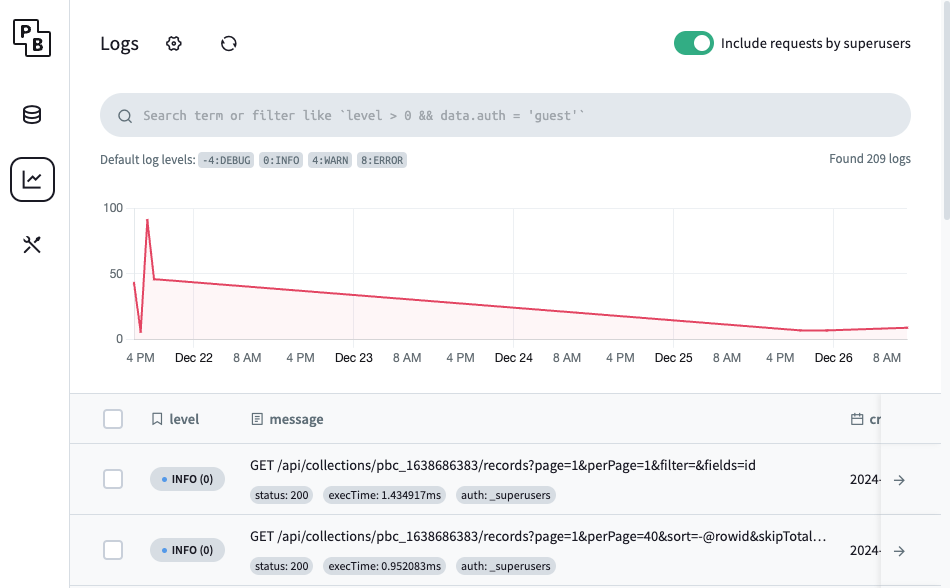
 Hazem Abbas
 Hazem Abbas
2- Payload
Payload is a fantastic full-stack Next.js framework that gives you a fully built backend, an intuitive admin panel, and the speed to build content-driven apps or interactive mobile experiences, almost no time at all.
The most amazing thing I love about it? You can deploy it on Vercel, Netlify, or even Coolify, making it incredibly flexible across platforms.
Payload is ideal if you're building a serious SaaS platform, eCommerce app, or any user-centric web application.
 Hazem Abbas
3- NocoDB
While NocoDB isn’t marketed as a headless system, it absolutely is one It is an open-source Airtable alternative that lets you master your data through a flexible, user-friendly interface, more than just tables, with intuitive views like grid, gallery, and content layouts.
It supports multiple databases out of the box, allowing you to connect to MySQL, SQLite, PostgreSQL, MariaDB, and more. You can even import Excel or CSV files directly, and NocoDB will automatically create tables for you, fully manageable and accessible via API or the NocoDB SDK.
I use NocoDB locally for my data engineering projects across several client engagements, and it’s proven to be fast, reliable, and highly effective, especially when it comes to cleaning, transforming, and manipulating data efficiently.
 Hazem Abbas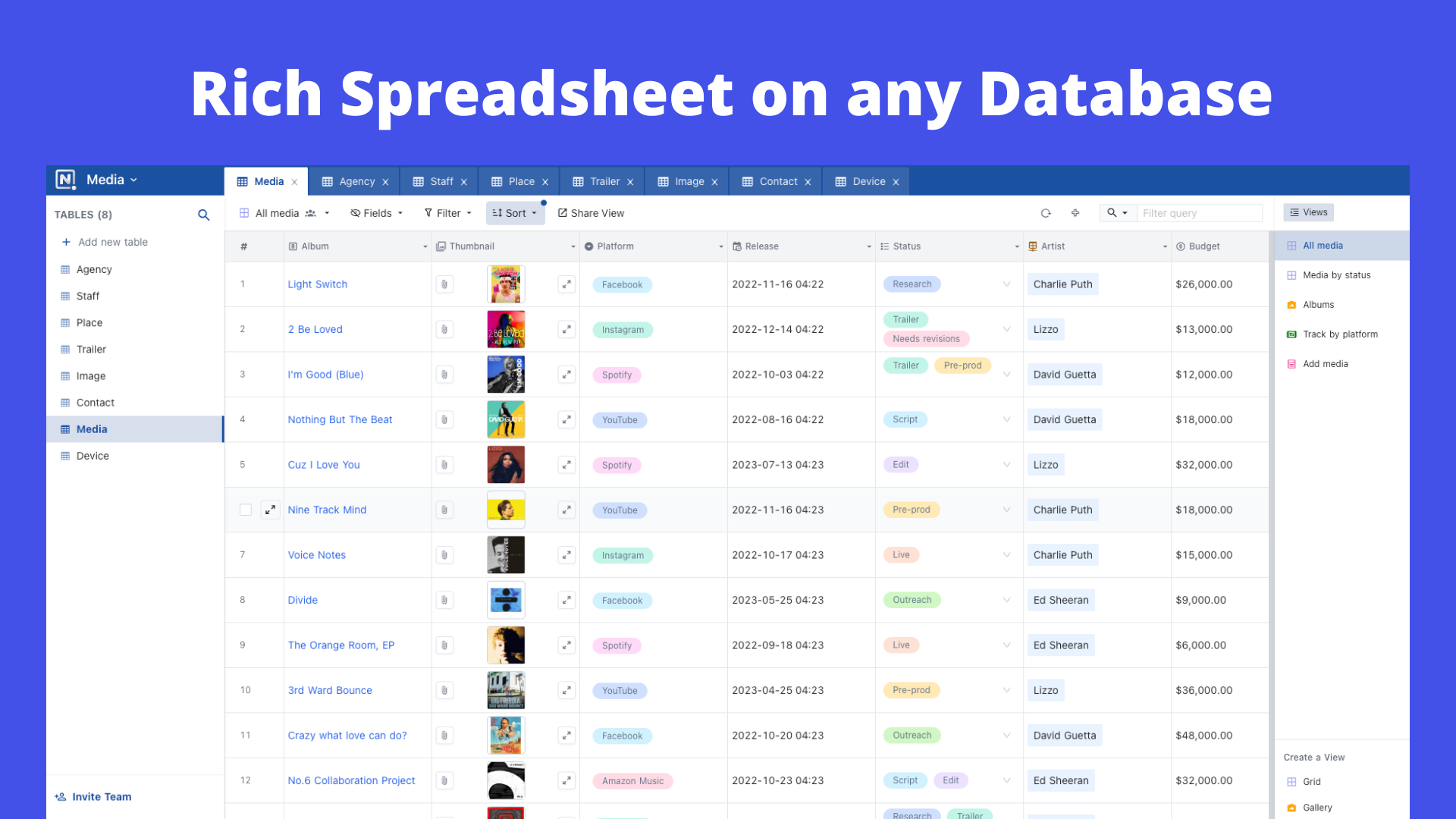
4- Directus
Directus is a free and open-source headless CMS and backend system that lets developers focus on building apps, not managing infrastructure. It comes with a rich, highly customizable dashboard that’s powerful enough for technical users, yet intuitive enough for end-users too.
You can easily add and classify users as admins, backend users, managers, editors, and more, all within the Directus back office (dashboard). Managing content has never been smoother: create, organize, and update collections with precision and clarity.
While Directus might seem complex at first, with so many configuration options, the initial learning curve is worth it. Once you get the hang of it, everything clicks. And trust me, you’ll quickly grow comfortable with it.
In my opinion, Directus’s real killer feature lies in its workflow and automation capabilities. It makes the platform smarter than most others. You can build custom flows triggered by content events, or even set up scheduled actions, giving your content lifecycle full control and intelligence.
I’ve used Directus for multiple clients over the years, and it’s consistently proven to be stable, reliable, and effective. Every client has been satisfied, so much so that many now prioritize hiring developers who know Directus when scaling their projects.
If you’re looking for a scalable, automated, and future-proof backend solution, look no further than Directus.
 Hazem Abbas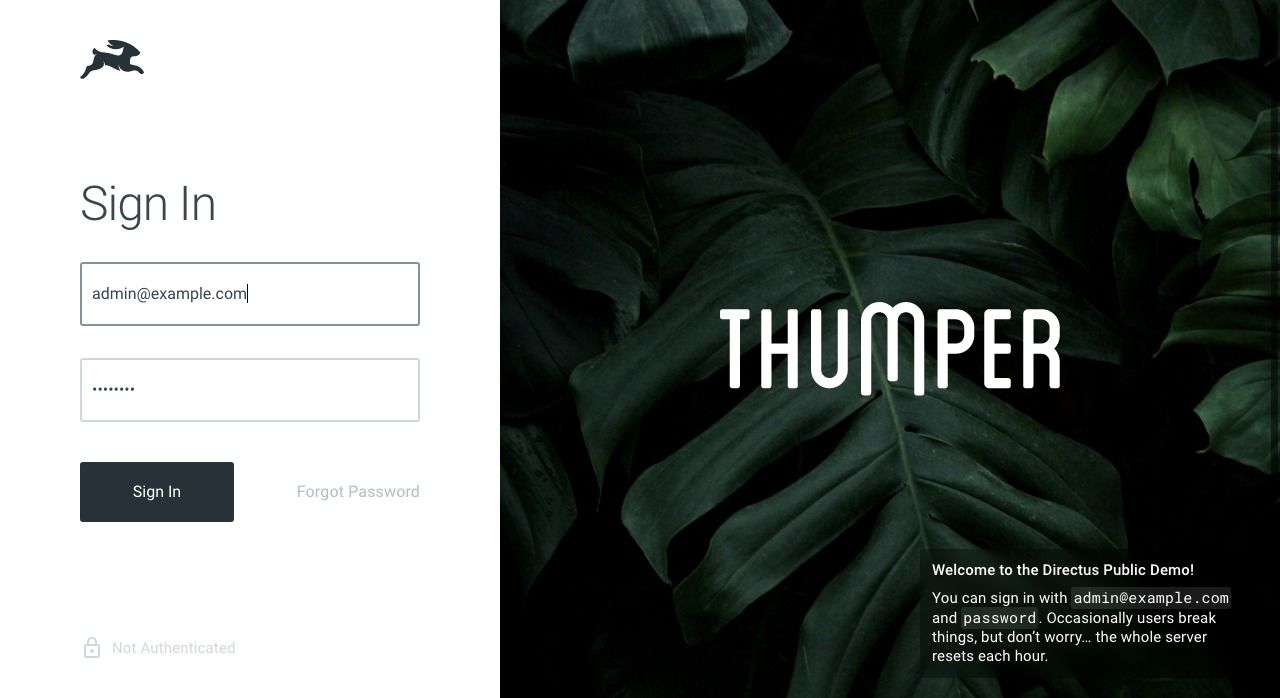
 directus
5- Cockpit
Cockpit is a similar project that’s easy to set up and use for content-based websites, as it provides a flexible, configurable way to create rich APIs. I recommend it for smaller projects.
Cockpit features include:
- Performance First: Choose your backend with MongoDB or SQLite, optimized for speed and scalability
- Headless by Design: Build with any frontend technology: React, Vue, Flutter, or anything else you love
- Flexible Content Models: Create collections, singletons, and hierarchical trees with custom fields to match your needs
- Modern APIs: Access your data via GraphQL or REST, with real-time capabilities built in
- Multi-language Support: Seamlessly power global applications with built-in internationalization
- No Vendor Lock-in: Keep full ownership of your data and deploy wherever you want, without restrictions
 Hazem Abbas
6- Strapi
Strapi is the leading open-source headless CMS, built entirely in JavaScript and TypeScript, fully customizable, and designed for developers, by developers.
The Community Edition is free, open-source, and gives you complete control over your content, no matter where it lives.
Host it yourself or scale with Strapi Cloud, either way, you’re in charge. Deploy to AWS, Azure, Google Cloud, DigitalOcean, or any platform that fits your workflow.
The admin panel is modern, clean, and completely customizable, not just functional, but beautiful too.
And with support for PostgreSQL, MySQL, MariaDB, and SQLite, you can pick the database that works best for your project, no compromises.
We recommend it, if you are building a highly detailed app that needs to scale.
 strapi
7- Daptin
Daptin is a lightweight, self-hosted Backend-as-a-Service with a headless CMS built on SQLite by default. It offers secure user/group management, JWT authentication, and full CRUD via JSON-API/GraphQL.
It supports OAuth login, real-time features, data auditing, and role-based access. Perfect for rapid prototyping and scalable apps, all while keeping your data under your control.
Daptin's features are:
- Database Persistence with 3NF Normalization: Structured, scalable data models with clean relational integrity.
- Modern APIs: Full CRUD support via both JSON API and GraphQL.
- User & Group Management with Role-Based Access Control (RBAC): Fine-grained permissions for secure, multi-tiered environments.
- Social Login via OAuth: Integrated with Google, GitHub, LinkedIn, ready to use.
- Actions for Business Logic Abstraction: Define reusable workflows and business flows as code-like actions.
- Extensive State Tracking APIs: Monitor and manage application state across sessions and users.
- One-Toggle Data Auditing
Track all changes to data automatically, ideal for compliance and debugging. - Synchronous Data Exchange with 3rd Party APIs: Connect and sync data in real time with external services.
- Multilingual Tables Support: Auto-detect language via
Accept-Languageheader; serve content in the user’s preferred language. - Cloud Storage Integration: Sync assets with Google Drive, Dropbox, Backblaze B2, AWS S3, and more.
- Asset Columns for Files & Blobs: Store and manage files directly in the database with cloud-backed storage.
- Multi-Site Support
Run multiple websites under separate subdomains or sub-paths — isolated yet unified. - Extension Points for External Integrations
Hook into Daptin’s ecosystem using custom extensions and webhooks. - Data View Streams
Stream live data updates to clients, perfect for dashboards and real-time apps. - Flexible Data Import
Import XLSX, JSON, CSV, auto-generate tables and schemas on the fly. - Developer-Friendly SDK
Comes with a powerful, well-documented SDK to accelerate integration, testing, and deployment.
 daptin
8- Manifest
Manifest is a one-file backend builder that many might assume is only good for building MVPs, POCs, or prototypes.
But after testing it myself and using it for my own apps and content-driven projects, I’m now running three live websites with it, managing and rendering content seamlessly.
It supports multiple databases out of the box, offers custom endpoints, built-in authentication, full CRUD operations, and comes with a simple yet powerful dashboard for managing users and content.
What I really like about it, is SPEED, it does not take time to setup, create collection or make them ready to be consumed through API of SDK.
 Hazem Abbas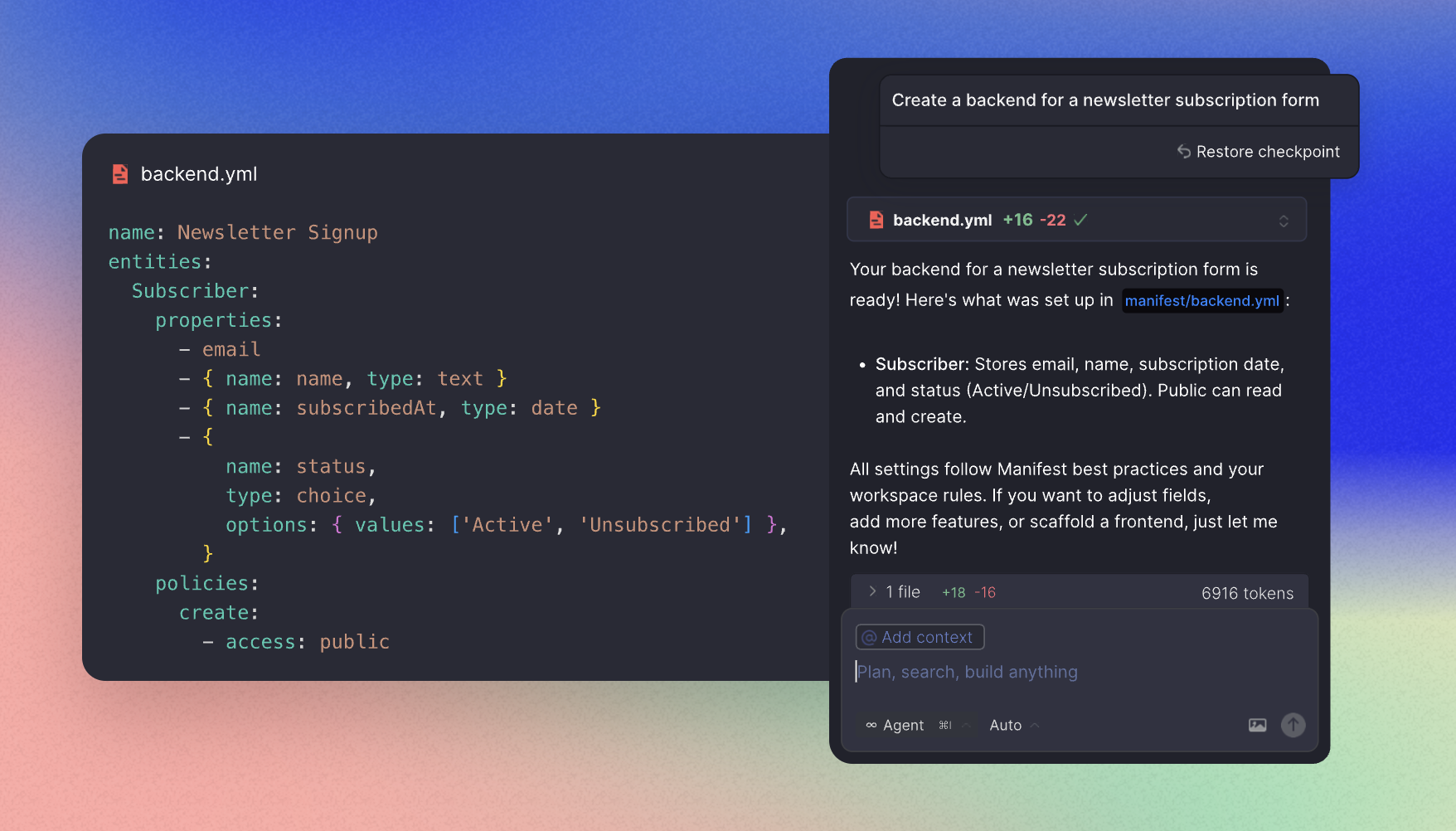

Why I Won’t Use WordPress or Ghost
I’ve worked with both platforms extensively, and while they’re great for blogs or small sites, they fall short when it comes to building robust, secure, and future-proof content systems at scale.
WordPress? Too risky.
It’s the most targeted platform on the web. With over 40% of websites using it, it’s a prime target for hackers. Even with plugins and updates, security is never guaranteed. Every plugin adds a potential vulnerability. Maintenance becomes a full-time job, patching, scanning, hardening. For a project where data integrity and uptime matter, that’s not sustainable.
And when you scale? Performance degrades fast. The database grows messy, caching gets complex, and upgrades often break themes or plugins. You end up spending more time fixing things than building.
 Hazem Abbas
 Hazem Abbas
 Hazem Abbas
Ghost? Limited by design.
Ghost is built for publishing, not for complex content ecosystems. It’s optimized for blogs, newsletters, and simple CMS needs. But once you need advanced search, custom relationships, multi-site support, or dynamic content structures, it hits walls.
The upgrade process is fragile, especially on larger sites. Breaking changes are common, and there’s little room for customization without deep hacking. Search is basic: no faceted filtering, no full-text indexing across collections, no semantic search. If you want to build something beyond a blog, Ghost just doesn’t scale.
Plus, the platform limits your freedom, especially if you want to move away from their hosted model or integrate with external APIs. You’re locked into their architecture.
For me, the choice isn’t about preference, it’s about purpose. When I’m building systems for therapy, research, family healing, or knowledge-rich apps, I need control, security, scalability, and long-term stability. Platforms like WordPress and Ghost simply don’t deliver that at scale.
That’s why I go with modern, headless, developer-first tools, where I own my data, manage my stack, and build what I truly need.
 Hazem Abbas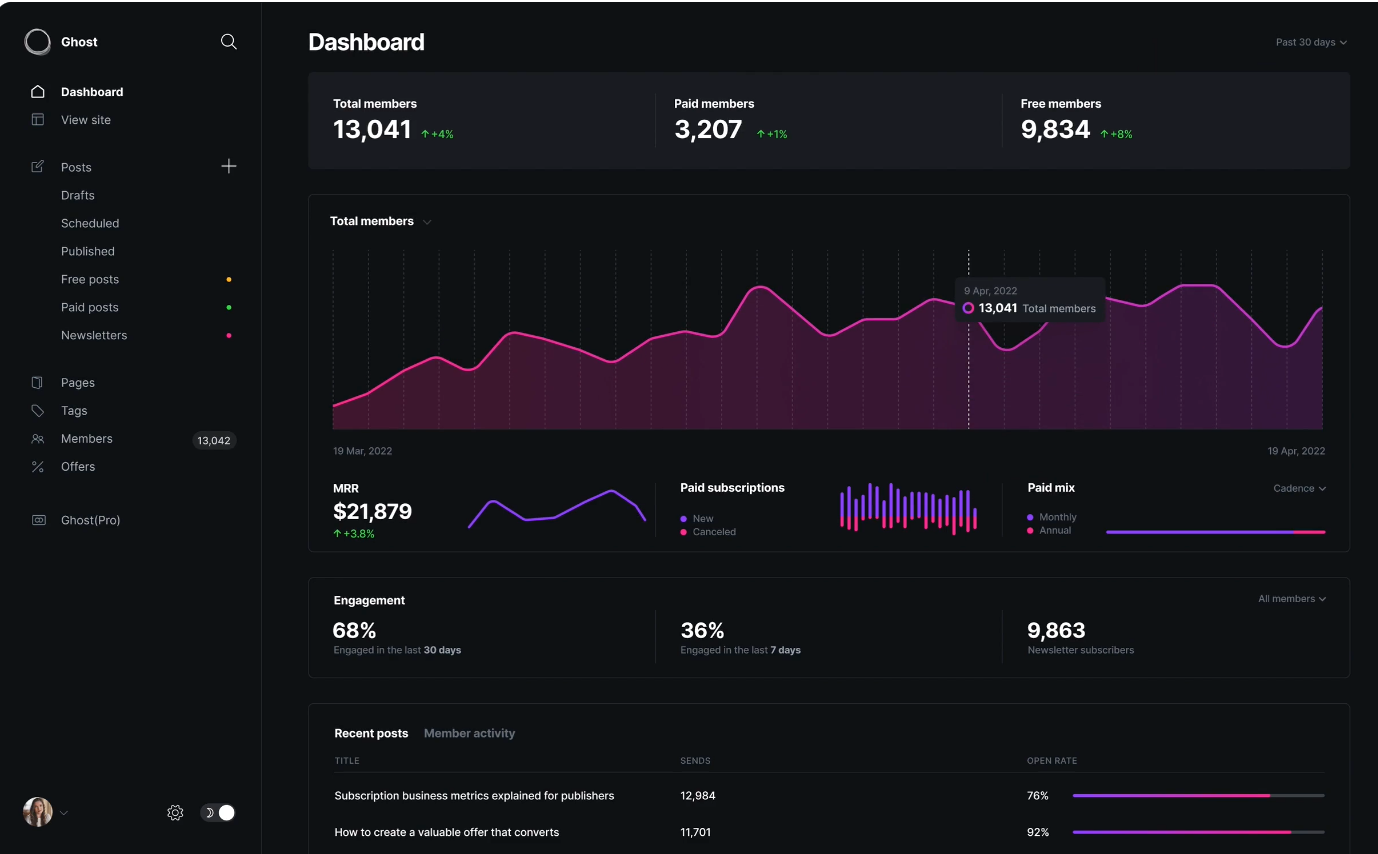
Our Recommendations
For Small Apps & Prototyping
- Manifest
- PocketBase
Large Scale Apps
- Directus
- Strapi
- NocoDB
Final Thoughts
The best tech isn’t about complexity. It’s about alignment.
It’s about choosing tools that match your mission, not just your skill level.
When you're building something for healing, growth, or connection, whether it’s for children with special needs, families rebuilding trust, or researchers documenting breakthroughs, you need more than code. You need stability. Security, control, and of-course speed.
WordPress and Ghost may have their place, for blogs, newsletters, quick launches, but they don’t scale with purpose. They demand constant maintenance, expose you to risk, and lock you into patterns that don’t support deep, long-term work.
Instead, go with systems built for intention:
- PocketBase for simplicity and speed,
- Manifest for one-file magic,
- NocoDB for flexible data mastery,
- Directus for intelligent workflows,
- Strapi for full-stack power,
- Daptin for lightweight, scalable control,
- and Payload when you’re ready to ship serious SaaS or user-centric apps.
These aren’t just alternatives, they’re enablers.
They free you from the noise so you can focus on what truly matters: creating tools that heal, connect, and grow.
Build fast. Build right. Build with purpose.
And above all, build yourself into the future you want to see.
More resources:
 Hazem Abbas
 Hazem Abbas
 Hazem Abbas
 Hazem Abbas