Best 17 Free & Open-Source EPUB Creators (2025) – Build Kindle Books Without Cost

What Is an EPUB File & Why Every Writer and Self-Publisher Should Care
If you're a writer, blogger, or self-publisher, you’ve probably heard of PDFs—but have you considered EPUB? It’s not just another file format. Think of EPUB as the perfect reading experience for digital books, designed to adapt beautifully to any device, from smartphones to e-readers.
Unlike static PDFs, EPUB files reflow text automatically, so your content fits perfectly on any screen. Whether someone’s reading on a tablet, phone, or Kindle, the layout adjusts seamlessly, no zooming, no scrolling sideways. Plus, it supports accessibility features like text-to-speech, font size changes, and high-contrast modes, making your work more inclusive.
Why EPUB Matters for Writers & Self-Publishers:
- Reach More Readers: EPUB is the preferred format for Apple Books, Google Play Books, Kobo, and many libraries.
- Future-Proof Your Work: As websites fade and blogs disappear, EPUB helps preserve your stories, articles, and books for generations.
- Easy to Create: Tools like
epub-gen,epubwriter, or even browser extensions (like ePub Creator) let you turn HTML or web pages into professional EPUBs in seconds. - No DRM Lock-In: Keep full control over your content, no need to worry about platform restrictions.
Whether you’re sharing a blog series, publishing a short story, or launching your first book, EPUB is the smart choice. It’s not just about formatting, it’s about making sure your words stay readable, accessible, and alive long after they go live online.
ePub file Readers!
ePub files also require custom readers to view the files, therefore, we covered the best open-source readers in another post here.
 Hazem Abbas
While was publishing my book, I tried several scripts and 0pen-source tools to create the ePub file and it was not easy to find the best app to do so. While I tested also some commercial tools, I found the open-source apps are really the best tool to do this.
So, this post is to help you find and choose the best app to create ePub files
1- ePub Creator with Firefox
ePub Creator lets you instantly save web pages as offline EPUB e-books with a single click. It works with Firefox Reader Mode-compatible sites and OverDrive library books, making it easy to preserve and access online content offline—perfect for reading anywhere, anytime.
 NiklasGollenstede
2- Sigil
Sigil is a free, open source, multi-platform ebook editor that uses Qt6 (and QtWebEngine). It is designed to edit books in ePub format (both ePub 2 and ePub 3).
 Sigil-Ebook
3- epub-gen
epub-gen is a fast, Node.js library that generates EPUB books from HTML with a simple API. It automatically processes your DOM, downloads images, creates valid EPUB3 files, and handles content structuring, ideal for converting web pages or articles into portable e-books in seconds.
 cyrilis
4- jEpub
This is a lightweight, browser-based EPUB builder with a simple API, full TypeScript support, internationalization, image/cover handling, and modern module builds, ideal for creating EPUBs directly in the browser using HTML and EJS templating.


5- epub-creator
epub-creator is a Java-based API for generating valid EPUB3 e-books, licensed under the WTFPL, offering a straightforward way to programmatically create structured, standards-compliant digital books. It supports adding content as text or files, defining table of contents (TOC), managing spine inclusion, and organizing pages, ideal for developers building tools that automate EPUB generation or convert content into readable e-book formats.
 OpenCollabZA
6- Epub Maker
This is a simple script that enables you to use YAML or YML file to create an ePub file directly from a folder.
 spaceskynet
7- epubwriter
epubwriter is a lightweight, flexible library for creating valid EPUB3 files programmatically, enabling developers to build structured e-books from code. It allows adding content as text or files, defining the table of contents (TOC), managing spine inclusion, and organizing pages with full control over the EPUB structure, making it ideal for generating custom e-books, converting articles, or automating digital publishing workflows.
 seeseekey
8- blog2epub
blog2epub is a lightweight, open-source tool licensed under MIT that converts blogs and web pages into EPUB format, preserving digital content for future generations. Designed with both command-line and GUI interfaces, it supports a wide range of platforms including .blogspot.com, .wordpress.com, and numerous other blogs and websites.
It enables you to transfor online articles into portable, readable EPUB files, blog2epub helps safeguard the legacy of the blogosphere against digital obsolescence, ensuring timeless access to valuable online content.
Its features include:
- command line (CLI) and graphic user interface (GUI)
- script downloads all text contents of selected blog to epub file,
- if it's possible, it includes post comments,
- images are downsized (to maximum 800/600px) and converted to grayscale,
- one post = one epub chapter,
- chapters are sorted by date ascending,
- cover is generated automatically from downloaded images.
 bohdanbobrowski
9- RSS2Ebook
This is a Python script that converts articles from an RSS feed into a single Ebook (ePub, PDF, docx - pandoc powered). It is easy to setup, configure and use. However, it requires some development skills to manage, so it is not for ordinary users.
10- Google SRE Book Generator
This open-source project enables you to generates a EPUB/MOBI/PDF for the Google SRE Books.
 captn3m0
11- ickabog-ebook
ickabog-ebook is a web-based tool that generates high-quality ebooks for The Ickabog by J.K. Rowling in 9 languages. It supports EPUB, PDF, and MOBI formats, with optional large-font PDFs and cover pages.
Perfect for creating accessible, kid-friendly digital books, it’s ideal for fans and educators seeking ready-to-read versions in multiple formats, including MOBI for Kindle devices.
 captn3m0
12- Epub Editor
Epub Editor is a simple, web-based tool by David Teviotdale designed to clean and fix EPUB files, especially those generated by WebToEpub. It’s a work in progress but fully functional for personal use. Just drag and drop your EPUB file onto the page or upload it via the file selector. Then, use built-in tools to check for issues like zero-size images, remove unwanted elements using CSS selectors, sanitize XHTML, add watermarks, extract images, convert tables for better readability (e.g., on Tolino), and append source links.
The tool runs directly in your browser, needs no installation, and is licensed under GPLv3. Perfect for quick fixes and improving EPUB quality before reading or sharing.
 dteviot
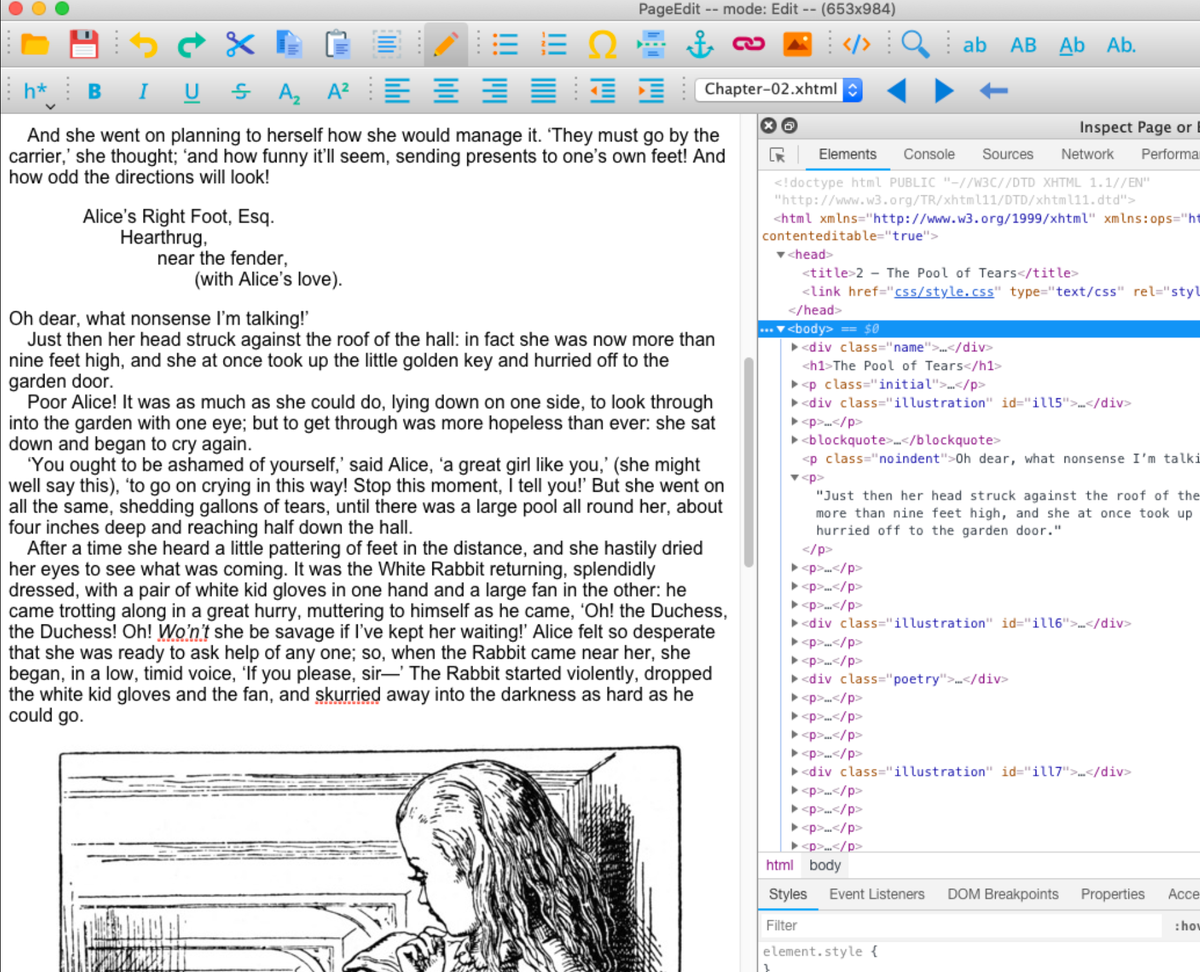
13- PageEdit

PageEdit is a modern, visual XHTML editor for EPUB files, built as a successor to Sigil’s deprecated BookView. It uses Qt’s WebEngine instead of WebKit for better performance and compatibility. Fully functional and stable, PageEdit offers a WYSIWYG interface with features like inserting images, links, special characters, and using the inspector for precise editing.
It runs on Qt 6.8.2 or later (with support for 6.4.2), making it a reliable choice for creating and editing EPUB content with a clean, intuitive design, especially in dark mode.
 Sigil-Ebook
14- Magic: an Ebook Editor
Magic is a Sigil-based EPUB editor supporting both EPUB2 and EPUB3 formats. It features a built-in simulator that renders books on various devices like iPhone and Xiaomi using Dedao’s custom ebook engine, making it easy to preview and refine your e-books across different screens.
 luojilab
15- Sveltekit Epub Writer
SvelteKit Epub Writer is a modern, intuitive tool for creating EPUB books with both developer-friendly and user-friendly features. Built with SvelteKit, it lets you write and edit your book content using a clean, responsive interface while still allowing direct access to raw HTML and layout files via your favorite IDE.
It is an ideal choice for writers who want creative control without sacrificing ease of use.
Key features include editing book metadata like title and author, adding, writing, editing, and rearranging chapters, storing all data in a SQLite database for reliability, exporting directly to EPUB format, printing to PDF, and using the Quill bubble editor for rich text formatting.
Good for personal projects, this WIP tool offers a powerful workflow, great for crafting stories, journals, or self-published content.
With this cool tool, you just have to focus on writing, not file formats.
 doolijb
16- epub-tools
This Haskell command-line toolkit is simple, powerful, and perfect for devs and book creators. With tools like epubmeta, you can instantly view or edit EPUB metadata, export OPF data, or dump info in a readable format. Use epubname to auto-name your books using title and author. And epubzip lets you zip and unzip EPUBs in seconds.
No GUI, no hassle, just quick, reliable commands. Perfect for automating your EPUB workflow. Build, tweak, and manage e-books like a pro. Work smarter with command-line EPUB tools.
 dino-
dino-
17- ePUB Creator
It accepts a directory with the whole content of the ebook (XHTML pages, images, stylesheets, etc.) and, with some configuration, zips it up to an ePUB.
This lets you create and test your content with a local browser and, only after it works and it looks like you want, proceed to create the ePUB. And, at least for me, this is the right way to do it.
 eit6609
If you are looking for more ePub resources, you can view our other articles in the following list: