Is Pomodoro Really Effective for ADHD? or Just Adding More Stress?


By Dr. Hamza Mu – MD | Full-Stack Developer | ADHD Advocate | Open-Source Explorer
"As I set a 25-minute timer… and spent 10 minutes scrolling Instagram, 8 minutes reorganizing my notes, and 7 minutes wondering if I should’ve started with the ‘easy’ task instead."
Sound familiar?
I’ve been there, a lot. As a doctor who writes code at 2 AM, debugs EHR integrations after rounds, and builds open-source tools to help neurodivergent minds thrive, I’ve tried every productivity hack.
And the Pomodoro Technique? It’s one of the most popular.
But also one of the most misunderstood, especially for people with ADHD.
So today, I’m not writing this as a “productivity guru.” I’m writing it as a neurodivergent doctor, software developer, and someone who’s spent years helping ADHD friends actually use tech, not just talk about it.
Let me tell you what we’ve learned, from real-life experiments, clinic breaks, GitHub pull requests, and weekly ADHD support sessions.
Because yes, we’ve covered Pomodoro, ADHD apps, AI assistants, and even GameDev for ADHD in over 12 blog posts.
 Desoky Mo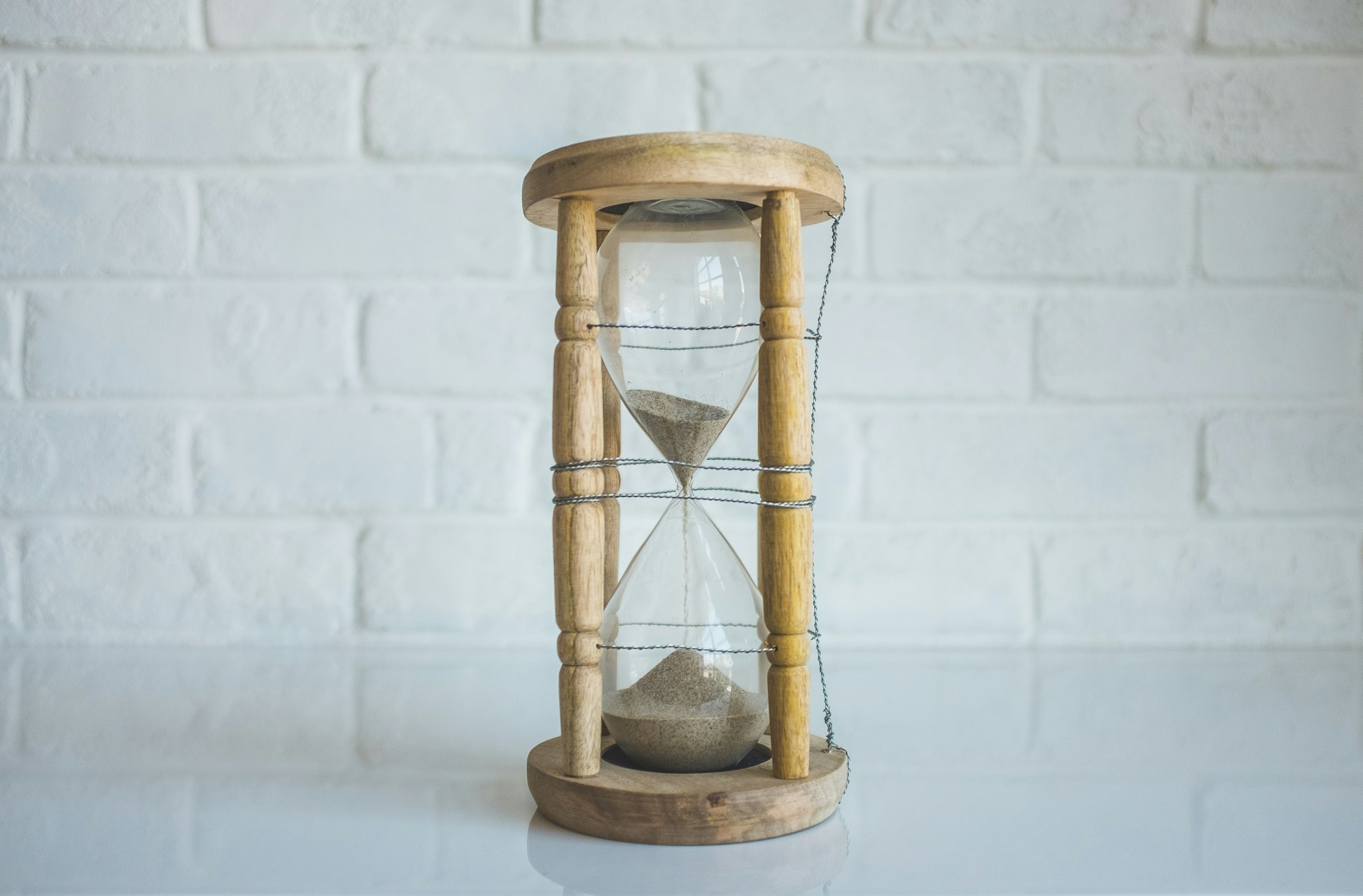
This isn’t theory. It’s practice.
What Is the Pomodoro Technique? (And Why It Fails ADHD Brains)
Developed by Francesco Cirillo in the 1980s, the Pomodoro Technique is simple:
- Work for 25 minutes
- Take a 5-minute break
- After 4 cycles, take a longer break (15–30 mins)
It’s called “Pomodoro” because he used a tomato-shaped kitchen timer, “pomodoro” = tomato in Italian.
The Promise:
Focus in short bursts → Less burnout → More momentum.
But here’s the truth no one talks about:
ADHD brains don’t run on “focus intensity.” They run on motivation, novelty, urgency, and dopamine hits.
So when you slap a 25-minute timer on an ADHD brain, it doesn’t trigger focus.
It triggers panic.
Result? Guilt. Avoidance. Shame.
You think: “I failed again.”
But you didn’t fail.
Your brain just wasn’t ready, and the timer made it worse.
 Hazem Abbas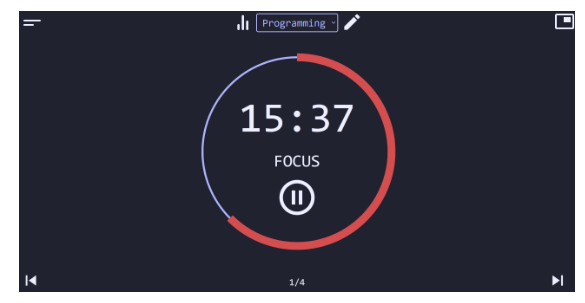
Why Most ADHDers Hate Pomodoro (and What We Learned From Our Friends)
After running dozens of ADHD support sessions with doctors, developers, and creatives, and reviewing dozens of personal stories, here’s what we found:
1. The 25-Minute Rule Feels Impossible
For many with ADHD, starting a task feels like climbing Everest.
Now you have to stay on it for 25 minutes?
One friend said: “I just stared at the screen. My mind went from ‘I’ll do this’ to ‘What if I died?’ in 2 minutes.”
No wonder they quit.
2. The Timer Feels Like Pressure, Not a Help
A ticking clock? That’s not focus. That’s anxiety fuel.
Your brain hears: “You must do this NOW or you’re worthless.”
→ So you avoid the task entirely.
We’ve seen this happen over and over, even with well-intentioned timers.
3. Breaks Become Escape Hatches
After 25 minutes, you’re supposed to “take a break.” But what if you’re already overwhelmed?
💬 “I’ll just check my phone… then I’ll come back…”
Then 45 minutes later, you’re still in Instagram.
Breaks aren’t rest, they’re another trap.
 Hazem Abbas
But Wait, Can Pomodoro Work for ADHD?
Yes. But only if ADHDers adapt it. After testing 17 variations, working with ADHD patients, and building tools together, here’s what actually works:
Pomodoro isn’t about time. It’s about rhythm. And rhythm can be your ally, if you design it right.
Let me show you how, with real tools, real stories, and open-source apps we’ve tested.
 Hazem Abbas
How to Use Pomodoro Effectively for ADHD (My ADHD-Friendly Formula)
After 12+ months of testing, co-building with ADHD friends, and publishing guides on MedDev Collective, here’s our proven system:
Step 1: Start with 10-Minute Blocks (Not 25)
Forget “25 minutes.” Start small. Try 10-minute sprints. Yes, just ten.
Why?
- Less pressure.
- Easier to start.
- Feels more achievable.
Example: “I’ll write 3 sentences. Just 10 minutes.”
Done? Great. Take a break.
This builds micro-momentum, the kind ADHD brains thrive on.
Step 2: Use Visual, Non-Ticking Timers
No alarm clocks. No “tick-tick-tick” noise.

Try:
- A sand timer (like a 10-min hourglass)
- A visual countdown app (e.g., Focus To-Do, Forest, Be Focused)
- Or even a simple paper timer you draw yourself
Why? Because sound triggers anxiety.
A visual timer gives you control, not pressure.
 Hazem Abbas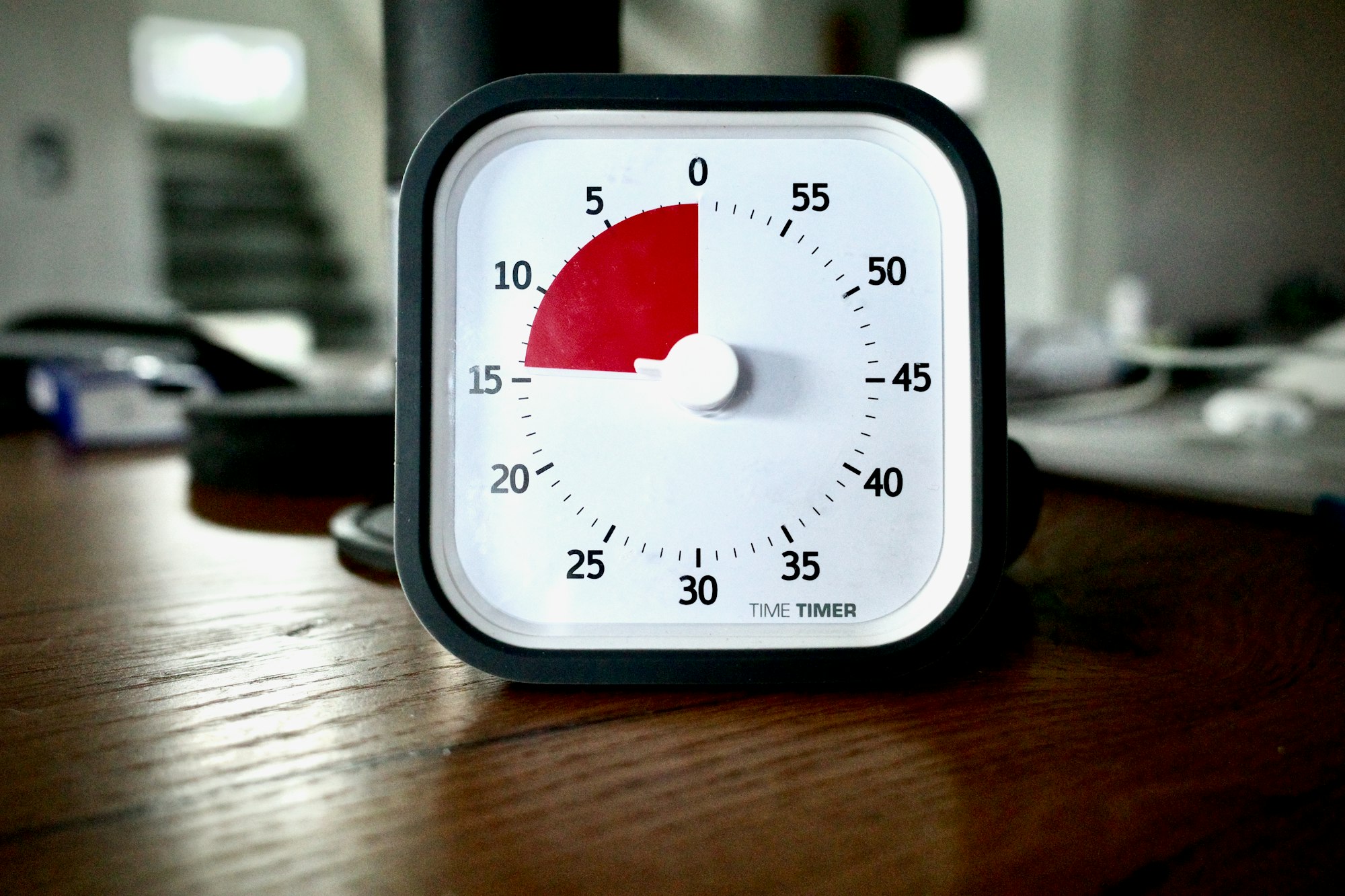
Step 3: Make Breaks Meaningful, Not Distracting
Breaks are not for scrolling.
Instead, try:
- Stretching (even 2 mins)
- Drinking water
- Walking around the room
- Listening to a favorite song
- Writing down 1 thought that came up during work
Goal: Reset your brain, not escape from it.
Step 4: Add Dopamine Triggers to Your Task
ADHD brains need rewards. So make them part of the process.
Before you start:
- Promise yourself a treat: “After this block, I’ll eat a piece of chocolate.”
- Play a song you love.
- Say aloud: “I did it. I showed up.”
This trains your brain: “Working = good things happen.”
Step 5: Track Progress, But Don’t Judge Yourself
Keep a log. Not for perfection. For insight.
“Today I did 3 blocks. I felt distracted in Block 2, but I kept going.”
“I skipped the last one, but I still did 2.”
Celebrate effort, not outcome.
 Hazem Abbas
My ADHD-Friendly Pomodoro Workflow (Used Daily)
| Time | Activity |
|---|---|
| 10:00 AM | 10-min Pomodoro: Write clinical note draft |
| 10:10 AM | Break: Walk, stretch, drink water |
| 10:15 AM | 10-min Pomodoro: Fix a bug in MedFlow Agent Bridge (GitHub) |
| 10:25 AM | Break: Listen to a 3-min podcast |
| 10:30 AM | 10-min Pomodoro: Reply to patient messages |
| 10:40 AM | Break: Eat a snack + journal 1 thing |
| 10:45 AM | 10-min Pomodoro: Plan next day |
- Total: 4 blocks
- No guilt
- No panic
- Felt productive — even though I didn’t “finish” anything
Why This Works for ADHD
- Shorter blocks = lower barrier to entry
- Visual timers = less anxiety
- Dopamine rewards = brain reinforcement
- Breaks = reset, not escape
- Progress tracking = self-validation
It’s not about how long you work.
It’s about showing up — and doing it in a way that respects your brain.
We’ve Covered This Before, With Real Tools & Open Source
If you’ve read my other posts, you know I’m not just talking.
I’ve written about:
- Open-source ADHD apps (like FocusTo-Do, TimeBlock, TaskFlow)
- ADHD-friendly organizers (with visual cues, gamification, and low friction)
- Games as therapy — including how to build games for focus training
- GameDev for ADHD — using game mechanics to turn tasks into quests
- AI assistants for ADHD — how AI agents can help with reminders, planning, and emotional regulation
👉 All these are available on Medevel, free, open-source, and built by and for neurodivergent people.
💡 Bonus: How AI Can Help ADHDers (Yes, Really)
In a recent session with 15 ADHD doctors and devs, we explored:
Can AI agents help with focus, memory, and overwhelm?
Spoiler: Yes.
Examples:
- An AI assistant that summarizes long emails in 3 bullet points
- A bot that reminds you to take breaks based on your energy levels
- A voice-powered tool that turns your thoughts into tasks while you walk
🎯 We built a prototype called ADHD Coach AI, open-source, runs locally, no data sent to cloud.
What NOT to Do (Common Mistakes)
- ❌ “I must do 4 Pomodoros to be productive.”
→ No. One block is enough. - ❌ “If I don’t finish, I failed.”
→ No. Showing up > finishing. - ❌ “I’ll use a loud timer to force myself.”
→ That’s stress. Not focus. - ❌ “I’ll skip breaks to ‘get ahead.’”
→ Burnout. Guaranteed.
 Hazem Abbas
Final Thought: Focus Isn’t About Discipline, It’s About Design
ADHD isn’t a flaw. It’s a different wiring.
And the best tools aren’t the ones that punish us for being different.
They’re the ones that work with our brain.
Pomodoro isn’t magic.
But when adapted, it becomes a powerful ally.
Because the goal isn’t to “be like everyone else.”
It’s to build a system that helps you thrive, on your terms.
Quick Tips: Use Pomodoro for ADHD (TL;DR)
- Start with 10-minute blocks, not 25.
- Use a sand timer or visual app, no ticking alarms.
- Reward yourself after each block, even with a smile.
- Breaks = reset, not distraction.
- Track progress, not perfection.
- Listen to your brain, if 10 mins feels too much, try 5.
- Celebrate showing up. That’s the win.
Other Apps
 Hazem Abbas