Muxy is a Super Cool macOS-First Terminal for Developers

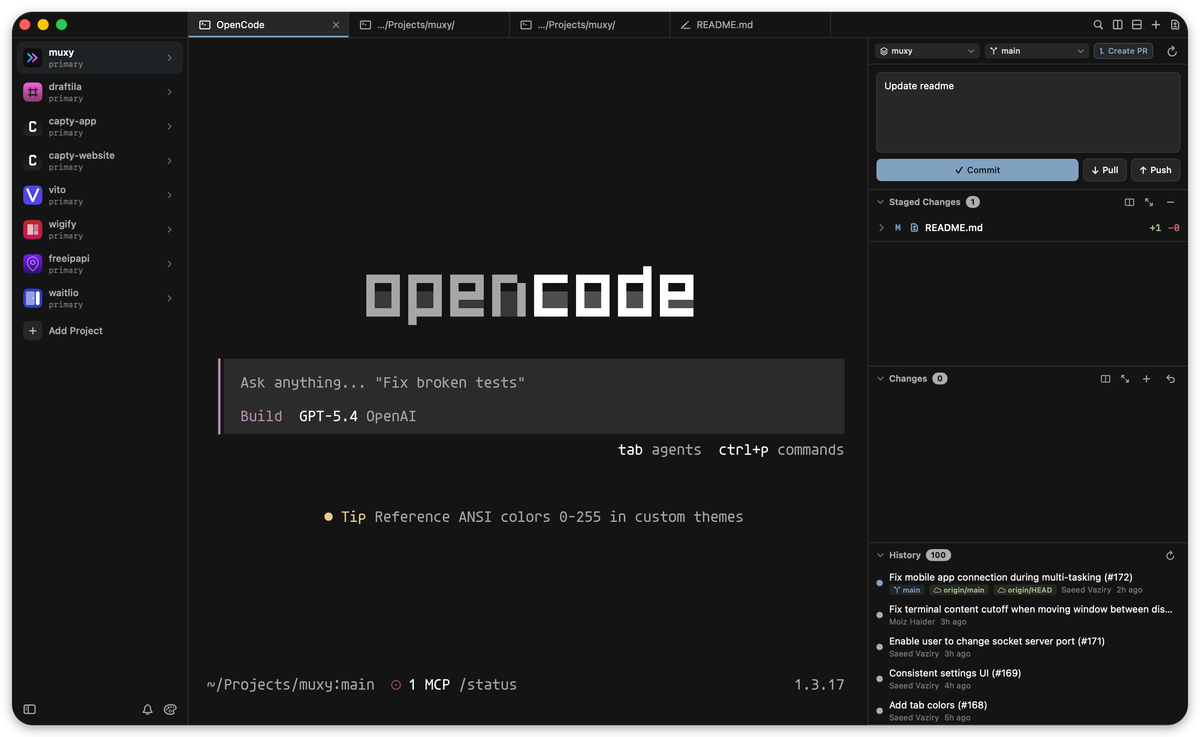
Muxy is a lightweight and memory-efficient terminal designed specifically for high-performance workflows on Mac, built with the power of SwiftUI and libghostty.
For developers deeply involved in AI development and agentic coding, Muxy provides a streamlined environment that stays out of the way of your LLM-driven processes while providing the essential features needed to manage complex AI projects.
Key Features for the Modern Developer:
- Project-based workflow — Organize terminals by project with persistent workspace state
- Vertical tabs — Sidebar tab strip with drag-and-drop reordering, pinning, renaming, and middle-click close
- Split panes — Horizontal and vertical splits with keyboard navigation and resizable dividers
- Built-in VCS — Simple and lightweight basic git diff and operations
- 200+ themes — Browse and search Ghostty themes with a built-in theme picker
- Customizable shortcuts — 40+ configurable keyboard shortcuts with conflict detection
- Workspace persistence — Tabs, splits, and focus state are saved and restored per project
- In-terminal search — Find text in terminal output with match navigation
- Drag and drop — Reorder tabs and projects, drag tabs between panes to create splits
- Auto-updates — Built-in update checking via Sparkle
- Text Editor - Native, Lightweight Text (not code) Editor with code highlight support for most of the programming languages
Install
brew tap muxy-app/tap
brew install --cask muxy
License
Do not worry, unlike many other macOS apps, this is totally free and open-source, under the MIT License.
Resources
GitHub - jasonkneen/huxy: Lightweight and Memory efficient terminal for Mac built with SwiftUI and libghostty
Lightweight and Memory efficient terminal for Mac built with SwiftUI and libghostty - jasonkneen/huxy
 jasonkneen